IMPLICATOR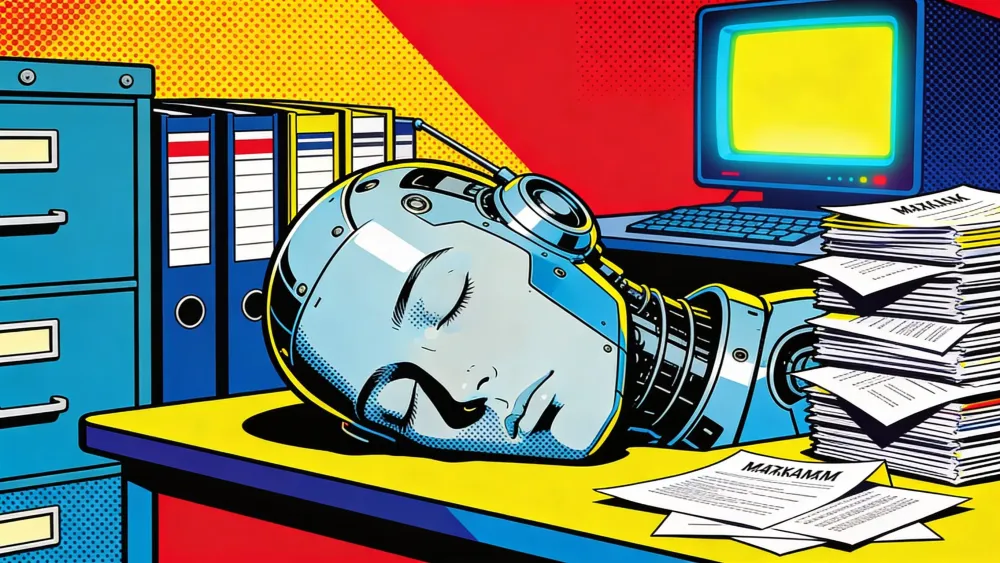
Anthropic began rolling out Auto Dream for Claude Code this week, a background sub-agent that consolidates the AI's memory files between work sessions, according to developer analysis and community reverse-engineering. The experimental feature runs a four-phase cycle that merges duplicate entries, resolves contradictions, converts relative dates to absolute ones, and prunes the memory index to stay under its 200-line startup limit. Developers discovered it behind a server-side flag called tengu_onyx_plover before Anthropic published any documentation, and the full system prompt surfaced on GitHub within days.
Key Takeaways
- Auto Dream runs a background sub-agent that consolidates Claude Code's memory files between sessions, fixing duplicates, contradictions, and stale dates.
- The feature triggers automatically after 24 hours and 5+ sessions, or manually via the /dream command or natural language.
- A four-phase cycle (orient, gather signal, consolidate, prune) keeps the MEMORY.md index under its 200-line startup limit.
- Developers discovered the feature behind a server-side flag before Anthropic published any documentation.
What auto-memory gets wrong after 20 sessions
Claude Code's auto-memory feature lets the AI take notes during work sessions without manual input. Build commands, debugging patterns, architecture decisions, preferences for testing frameworks. Everything lands in markdown files under ~/.claude/projects/<project>/memory/.
At the center sits an index file called MEMORY.md. Only the first 200 lines load into Claude's context at session start. Topic files handle the details. Efficient design on day one.
It falls apart by day thirty.
After 20 or more sessions, notes pile up with no cleanup mechanism. Three different topic files describe the same build quirk. A debugging entry from January still references a file you deleted during a February refactor. "Yesterday we switched to Redis" sits in memory permanently, meaningless by March. The 200-line budget fills with noise, and the information Claude actually needs gets buried.
"I actually turned Auto-memory off on my own Claude Code for this exact reason," wrote akari_iku on DEV Community, a Japan-based developer who spotted the feature early. "It kept memorising things that frankly did not need memorising."
The anxiety around memory quality wasn't isolated. Community-built memory management tools already existed to address the same decay problem from the outside. MCP servers, custom scripts, manual pruning routines. All trying to do what Anthropic finally built in. Auto-memory was a note-taker who never cleaned the desk. Auto Dream is the janitor who shows up after hours.
The four-phase consolidation cycle
The name comes from neuroscience. Anthropic picked "dream" because the mechanism does what REM sleep does for humans: take the day's raw input, figure out what's worth keeping, and throw away the rest. Researchers at UC Berkeley published a paper on "sleep-time compute" formalizing the idea that offline processing pays for itself in faster online performance. Auto-memory scribbles notes during the workday. Auto Dream sorts through them when nobody's looking.
The process follows four phases. Each one has a specific job.
Phase 1: Orient. Claude reads the memory directory and opens MEMORY.md. It scans existing topic files to understand what's already stored. No changes happen here. Just inventory.
Phase 2: Gather signal. Auto Dream searches your session transcripts, the JSONL files Claude stores locally for each conversation. But it does not read every file start to finish. That would burn tokens at scale. A project with 285 sessions would take forever to process exhaustively. Instead, the sub-agent runs targeted searches for specific patterns: moments where you corrected Claude, times you said "remember this," recurring themes across sessions, and architecture decisions that shaped the project.
The system prompt spells it out: "Don't exhaustively read transcripts. Look only for things you already suspect matter."
Same idea as flipping through a notebook and only stopping at the parts someone underlined.
Phase 3 does the real work. Claude merges new information into existing topic files and runs four specific cleanup operations.
Relative dates become absolute. Say you wrote "Yesterday we decided to use Redis." Auto Dream rewrites that to "On 2026-03-15 we decided to use Redis." Feels trivial. But open that file in June and "yesterday" means nothing. Ninety possible days, zero clarity. Contradicted facts get deleted outright. Switched from Express to Fastify three weeks ago? The old entry saying "API uses Express" disappears. No flag, no comment, just gone. Stale debugging notes about files that no longer exist get pruned. And when three separate sessions all noted the same build command quirk, those entries collapse into one clean line.
Phase 4: Prune and index. MEMORY.md gets trimmed back under 200 lines. Dead links to deleted topic files are removed. New links for files created during consolidation are added. Contradictions between the index and actual file contents get resolved on the spot.
Files that needed no changes stay untouched. Surgical, not comprehensive.
What changes in your memory directory
A documented example from claudefa.st makes the difference concrete. Take a project with 30+ sessions of accumulated notes.
Before Auto Dream touches anything:
memory/
  MEMORY.md              # 280 lines, over the 200-line limit
  debugging.md           # 3 contradictory API error entries
  api-conventions.md     # References Express (you switched to Fastify)
  random-notes.md        # Mix of stale and current info
  build-commands.md      # "Yesterday" appears 6 times, no dates
  user-preferences.md    # Duplicates entries from MEMORY.md
After:
AI tools are evolving fast. Stay current.
Strategic AI news from San Francisco. No hype, no "AI will change everything" throat clearing. Just what moved, who won, and why it matters. Daily at 6am PST.
No spam. Unsubscribe anytime.
memory/
  MEMORY.md              # 142 lines, clean index
  debugging.md           # Deduplicated, current solutions only
  api-conventions.md     # Updated for Fastify migration
  build-commands.md      # All dates absolute, no duplicates
  user-preferences.md    # Merged with MEMORY.md entries
Notice random-notes.md disappeared entirely. Its contents either folded into relevant topic files or got cut as stale. MEMORY.md lost 138 lines in one pass. Every instance of "yesterday" swapped for an actual date. Express became Fastify. Three contradictory debugging entries collapsed into one.
How to enable Auto Dream
Run /memory in any Claude Code session. Look for the Auto-dream toggle in the selector menu. If visible, switch it on.
Two conditions must both be met before it triggers automatically. Twenty-four hours need to pass since the last consolidation, and more than five sessions must have occurred. Both gates must open. One marathon coding session over a weekend won't fire it. Neither will ten quick sessions crammed into two hours. The dual requirement filters out projects with light usage while keeping active codebases on a regular cleanup cycle.
For an immediate run, skip the timer. Tell Claude to "dream" or "consolidate my memory files" and it executes the same four-phase process manually. Useful after a major refactor when old memory entries would cause more confusion than help.
The /dream slash command also exists but hasn't reached every user yet. Anthropic appears to be rolling access out gradually through the server-side feature flag.
Developers who can't see the toggle at all have a workaround. The system prompt is public. Copy it from Piebald-AI's GitHub repository and create a custom Claude Code skill named dream. It replicates the full consolidation cycle without needing the official flag.
Three safety constraints keep the process boxed in. During a dream cycle, Claude can only write to memory files. Source code, config, tests, everything outside the memory directory stays read-only. A lock file prevents two Claude Code instances from running consolidation on the same project simultaneously. And the whole thing executes in the background. You keep working while it cleans. One developer reported 913 sessions consolidated in roughly nine minutes.
Where Auto Dream sits in the memory stack
Claude Code now runs four distinct memory layers. Each serves a different purpose, and understanding the stack matters for getting the most out of any single layer.
CLAUDE.md is the instruction manual you write and control. Loads fully at every session start. Carries the highest priority. Architecture decisions, build commands, hard rules go here.
Auto Memory is the continuous note-taker. Claude writes to it during every session, capturing build patterns, debugging insights, your stated preferences. Runs automatically.
Session Memory handles conversation continuity. Claude stores summaries roughly every 5,000 tokens, bridging context across sessions within the same project.
Auto Dream is the maintenance layer. Runs between sessions, cleaning what Auto Memory accumulated. Merging, pruning, converting dates, deduplicating. The overnight janitor for your project's institutional knowledge.
Without Auto Dream, Auto Memory is a note-taker who never organizes the notebook. Without Auto Memory, Auto Dream has nothing to consolidate. They work as a pair. CLAUDE.md sets the rules. Auto Memory records what happens. Session Memory bridges conversations. Auto Dream keeps the accumulated knowledge honest.
Developers have drawn a connection between Auto Dream and a UC Berkeley and Letta research paper on "sleep-time compute," which found that models processing information during idle periods reduced test-time compute by approximately 5x at equal accuracy, with up to 18% gains on mathematical reasoning tasks. Anthropic hasn't confirmed the link, but the parallel is hard to miss. Auto Dream applies a narrower version of that principle. Limited to memory file consolidation rather than arbitrary pre-computation. But the logic holds. Offline maintenance makes online sessions faster.
What this changes for daily work
The practical difference is incremental. And compounding. Each session starts with cleaner context. Claude stops referencing files deleted two weeks ago. Dates carry meaning. Duplicate entries stop eating the 200-line budget.
For projects with deep histories, the improvement stacks faster. One developer ran 285 sessions on a single project. Auto Dream identified three memory files needing updates, finished in eight minutes. Stale references removed. Overlapping entries consolidated. Months of accumulated noise, cleared.
Auto Dream won't reshape how you approach a project. It changes how Claude approaches your next session. Less re-explaining the same context. Less budget wasted on information from January that stopped being true in February. More of that 200-line index carrying weight.
The feature points toward a broader challenge facing AI coding tools. GitHub Copilot, Cursor, and OpenAI's Codex all wrestle with the same long-term context problem in their own ways. Memory that grows without maintenance eventually hurts more than it helps. Anthropic chose to make the tool clean up after itself, on a schedule, without asking.
Anthropic hasn't officially announced the feature. No documentation page, no blog post. Access trickles out through the feature flag, and the community figured out the mechanism before any press release landed. For now, Auto Dream sits in the /memory menu. Open yours and check.
Frequently Asked Questions
What is Claude Code Auto Dream?
Auto Dream is a background sub-agent that periodically consolidates Claude Code's memory files. It merges duplicates, resolves contradictions, converts relative dates to absolute ones, and prunes the memory index to stay under 200 lines.
How do I enable Auto Dream in Claude Code?
Run /memory in any Claude Code session and look for the Auto-dream toggle. If you don't see it, you can trigger it manually by telling Claude to 'dream' or 'consolidate my memory files.' Access is rolling out gradually via a server-side feature flag.
When does Auto Dream run automatically?
Two conditions must both be met: 24 hours since the last consolidation, and more than 5 sessions completed. Both gates must open before an automatic cycle triggers.
Can Auto Dream modify my source code?
No. During a dream cycle, Claude can only write to memory files. Source code, configuration, tests, and everything outside the memory directory stays read-only. A lock file also prevents concurrent consolidation runs.
What is the difference between Auto Memory and Auto Dream?
Auto Memory collects notes during every session. Auto Dream consolidates those notes periodically, merging overlapping entries, pruning stale information, and keeping the memory index clean. They work as a complementary pair.



Free AI briefing · Weekdays
The AI stories that matter, sourced and explained.
Join the Morning Briefing. It goes out every weekday at 4:45 a.m. Pacific, with later sends for the East Coast, Berlin and Tokyo.
Free when you sign up: The Paperclip Compendium, our tested guide to running AI agents.
Free. Unsubscribe in one click.

Marcus Schuler
Editor-in-Chief and founder of Implicator.ai. Former ARD correspondent and senior broadcast journalist with 10+ years covering tech. Writes daily briefings on policy and market developments. Based in San Francisco. E-mail: editor@implicator.ai