Implicator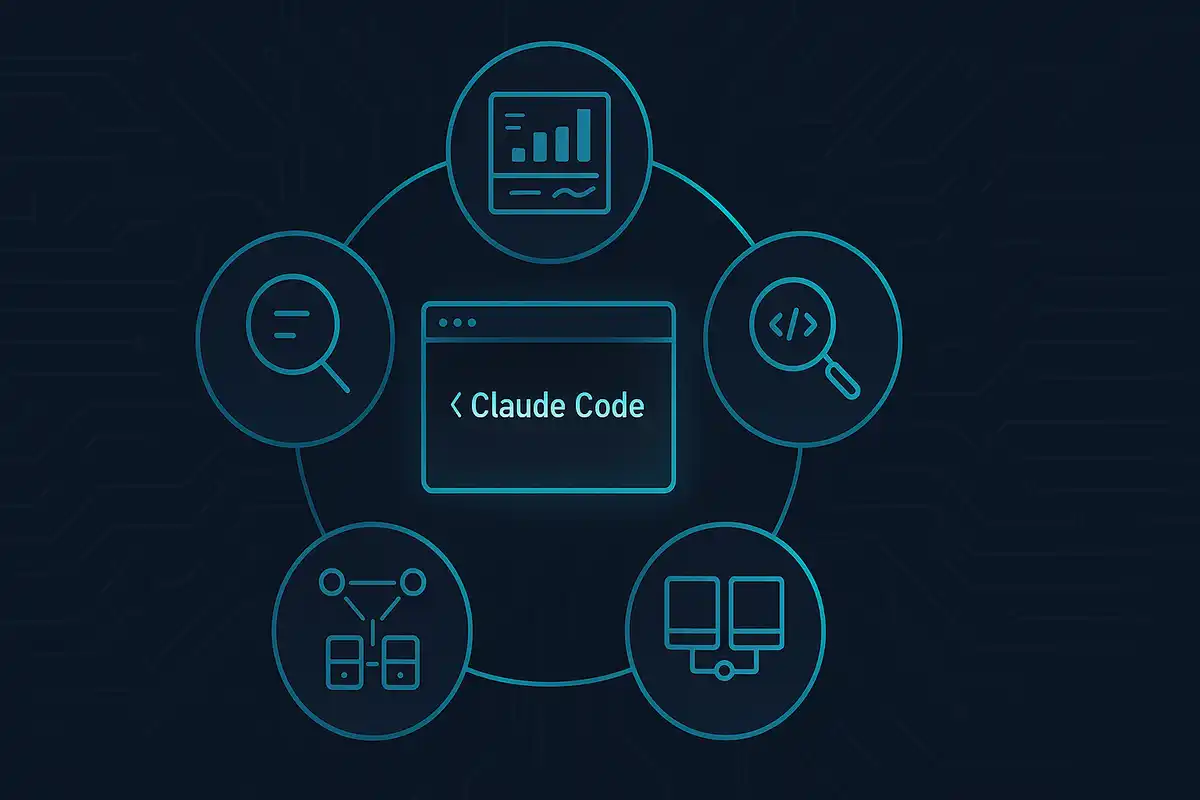
💡 TL;DR - The 30 Seconds Version
⚡ Five hidden tools can save engineers 30-50 hours monthly by unlocking Claude Code's full potential beyond basic prompting.
📊 Usage Tracker reveals your true ROI with command `npx CC usage latest` showing exact costs versus $200/month subscription value.
🔍 Claude Trace creates HTML files showing Claude Code's 20+ hidden tools and how sub-agents work in parallel behind the scenes.
👁️ Snaphappy gives Claude Code screenshot abilities with three simple tools: get_screenshot, take_screenshot, and list_windows for visual debugging.
🤖 CodeMCP turns Claude Desktop into a direct coding assistant that edits files and makes Git commits automatically without API costs.
🚀 Most engineers use only 10% of Claude Code's capabilities - these tools unlock the remaining 90% for competitive advantage.
Most engineers use Claude Code like a basic calculator. They fire off prompts and hope for the best. These five tools turn Claude Code into a precision instrument that compounds your productivity.
Why These Tools Matter
- Time is your most valuable resource - These tools save you 30-50 hours per month by making Claude Code work smarter
- Understanding beats guessing - See exactly what Claude Code does instead of treating it like a black box
- Multiply your capabilities - Each tool adds new powers that stack with your existing workflow
- ROI over cost - Focus on return on investment, not just the dollars spent
Tool #1: Usage Tracker - Know Your True Value
What it does: Shows exactly how much Claude Code costs you and how much time it saves.
Why you need this:
- Most engineers have no idea if they're getting value from their $200/month
- Reveals which models you use most and when you're most productive
- Proves ROI to yourself and your team
Setup:
- Run this in your terminal:
npx CC usage latest - Add
since beginning of this monthto see monthly breakdown - Check day-by-day usage with input/output token counts
Key insights:
- If you've saved 30+ hours this month, you're profitable at any engineering salary
- Track which days you use Claude Code most - pattern reveals your peak productivity times
- Use cached token data to see how much context you're reusing
Tool #2: Claude Trace - See Under the Hood
What it does: Records everything Claude Code does and creates a local HTML file you can inspect.
Why this changes everything:
- See the full system prompt (thousands of words of engineering instructions)
- Watch sub-agents in action - Claude Code literally talks to itself
- Understand every tool definition and how Claude Code decides what to do
- Debug failed attempts by seeing exact API calls
Setup:
- Add
claude tracebefore your normal Claude Code command - Claude Code runs normally but logs everything to a trace file
- Open the HTML file after your session ends
What you'll discover:
- Claude Code has 20+ tools with detailed descriptions you've never seen
- Sub-agents run in parallel - Claude Code launches multiple agents at once
- The system prompt is a masterclass in prompt engineering
- Every conversation gets broken down into JSON you can study
Essential techniques:
- Study successful sub-agent patterns to improve your own prompts
- Copy tool descriptions to understand what's possible
- Use the JSON view to see raw API costs and token usage
Tool #3: Snaphappy - Give Claude Eyes
What it does: Lets Claude Code take screenshots and see your desktop.
Why this unlocks new workflows:
- Design implementation - Show Claude a mockup, let it build the UI
- Bug reproduction - Claude can see error messages and UI states
- Documentation - Claude captures and explains what's on screen
- Quality assurance - Compare designs to implementation visually
Setup:
- Install:
claude mcp add snaphappy - Three simple tools:
get_screenshot,take_screenshot,list_windows - Claude Code now has visual awareness
Real use cases:
- "Screenshot my browser and tell me what's wrong with this layout"
- "Take a picture of my app and write documentation for this feature"
- "List my open windows and close everything except VS Code"
Future impact: This is just the beginning. Expect major labs to release comprehensive screen-watching tools that make Claude Code a full desktop assistant.
Tool #4: CodeMCP - Pair Programming Without Copy-Paste
What it does: Turns Claude Desktop into a direct coding assistant that edits your files and runs tests.
Why this beats other tools:
- Works with Claude subscription - no per-action API costs
- Makes Git commits automatically so you can roll back anything
- IDE agnostic - use any editor you want
- Built for safe automation with limited, well-defined tools
Setup:
- Install uv: Follow instructions at docs.astral.sh/uv
- Add to Claude Desktop config:
{
  "mcpServers": {
    "codemcp": {
      "command": "/Users/<username>/.local/bin/uvx",
      "args": ["--from", "git+https://github.com/ezyang/codemcp@prod", "codemcp"]
    }
  }
}
Create codemcp.toml in your project root:
[commands]
format = ["./run_format.sh"]
test = ["./run_test.sh"]
Workflow:
- Ask Claude to implement features in natural language
- Claude edits files directly and runs your tests
- Every change gets committed automatically
- Review commits in your Git client
- Accept or reject changes with standard Git tools
Smart setup: Use Claude Desktop projects with "Initialize codemcp with $PROJECT_DIR" in project instructions for seamless setup.
Tool #5: Claude Code as MCP Server - Agent in Agent
What it does: Runs Claude Code as a server that other applications can connect to.
Why this is powerful:
- Combine Claude Desktop's interface with Claude Code's file tools
- Create multi-agent workflows where agents use other agents
- Give any MCP client access to Claude Code's powerful editing tools
- Build custom applications on top of Claude Code's capabilities
Setup:
- Start the server:
claude mcp serve - Add to Claude Desktop config:
{
  "command": "claude",
  "args": ["mcp", "serve"],
  "env": {}
}
What this enables:
- Ask Claude Desktop to use Claude Code tools for file operations
- Complex agent orchestration - Claude managing Claude
- Custom integrations where your app calls Claude Code programmatically
Architecture insight: This "agent in agent" pattern will become standard. Tools that can serve as both clients and servers create exponentially more powerful combinations.
How These Tools Work Together
The power user stack:
- Start with Usage Tracker - Know your baseline productivity
- Add Claude Trace - Understand how Claude Code actually works
- Install Snaphappy - Give Claude visual awareness
- Set up CodeMCP - Direct file editing in Claude Desktop
- Experiment with MCP Server - Multi-agent workflows
Recommended path:
- Week 1: Usage Tracker (understand your ROI)
- Week 2: Claude Trace (see under the hood)
- Week 3: Pick Snaphappy OR CodeMCP based on your workflow
- Week 4: Experiment with advanced combinations
Key insight: Your impact as an engineer directly relates to your tool mastery. These aren't just productivity hacks - they're fundamental to staying competitive in the age of AI-assisted development.
The bottom line: Most engineers use 10% of Claude Code's capabilities. These tools unlock the other 90%.
❓ Frequently Asked Questions
Q: Are these tools free or do they cost extra on top of my Claude Code subscription?
A: Usage Tracker, Claude Trace, and Snaphappy are completely free. CodeMCP is free but requires Claude Desktop (included with Claude Pro at $20/month). The MCP Server feature uses your existing Claude Code subscription with no additional fees.
Q: How difficult is it to set up these tools? Do I need advanced technical skills?
A: Most take 2-5 minutes to set up. Usage Tracker requires one terminal command. Claude Trace adds one word to your existing commands. Snaphappy installs with a single MCP command. CodeMCP needs JSON config editing but follows clear copy-paste instructions.
Q: Do these tools work on Windows and Mac, or are they limited to specific operating systems?
A: Usage Tracker and Claude Trace work on all platforms. Snaphappy works on macOS, Windows, and Linux. CodeMCP supports macOS and Windows but requires different path formats. Linux support varies by tool - check individual documentation for your distribution.
Q: Is it safe to give Claude Code screenshot access and file editing permissions?
A: These tools follow standard security practices. Snaphappy only captures what you explicitly request. CodeMCP makes Git commits automatically so you can roll back any changes. Claude Code already has file access - these tools just make it more visible and controllable.
Q: Do these tools slow down Claude Code or use extra tokens that count against my limits?
A: Usage Tracker and Claude Trace add zero performance impact. Snaphappy uses minimal tokens when taking screenshots. CodeMCP and MCP Server run separately from Claude Code so they don't affect its speed. All tools are designed for minimal resource usage.
 Marcus Schuler

Marcus Schuler
Tech translator with German roots who fled to Silicon Valley chaos. Decodes startup noise from San Francisco. Launched implicator.ai to slice through AI's daily madness—crisp, clear, with Teutonic precision and sarcasm. E-Mail: [email protected]