

Microsoft Holds the Keys to Your Encrypted Data. It Just Handed Them Over.
Microsoft hands encryption keys to FBI on request. Unlike Apple's zero-knowledge approach, BitLocker stores keys unencrypted in the cloud by default.
Microsoft hands encryption keys to FBI on request. Unlike Apple's zero-knowledge approach, BitLocker stores keys unencrypted in the cloud by default.

Meta's $2B Manus deal triggered reviews by three Chinese agencies. The 'China shedding' playbook for AI startups faces its first test.
Beijing and Washington both approve $54B in H200 sales but zero chips ship. Duke spinout Neurophos bets photonic computing can deliver 100x Nvidia's best GPU.

Microsoft hands encryption keys to FBI on request. Unlike Apple's zero-knowledge approach, BitLocker stores keys unencrypted in the cloud by default.
When FBI agents seized three laptops in Guam last year, they hit what should have been a dead end. The hard drives were locked with BitLocker, Microsoft's encryption system that scrambles data so thoroughly that federal forensic experts have called it "impenetrable." The laptops belonged to people suspected of stealing $2 million from a COVID-19 relief program. Without the decryption keys, the files might as well have been random noise.
The investigators didn't crack the encryption. They didn't need to. Microsoft handed over the keys.
Key Takeaways
• Microsoft complies with law enforcement requests for BitLocker encryption keys stored in the cloud, receiving about 20 such requests annually
• Keys are stored unencrypted by default when users sign in with a Microsoft account during Windows setup
• Apple, Google, and Meta use zero-knowledge architecture that prevents even them from accessing stored keys
• Users can delete their keys from Microsoft's servers at account.microsoft.com/devices/recoverykey
BitLocker ships enabled by default on most modern Windows PCs. When you set up a new machine and sign in with a Microsoft account, the system generates a 48-digit recovery key and, unless you actively stop it, uploads that key to Microsoft's servers. The company frames this as a safety feature. Forget your password? Locked out after too many failed attempts? Microsoft has your backup.
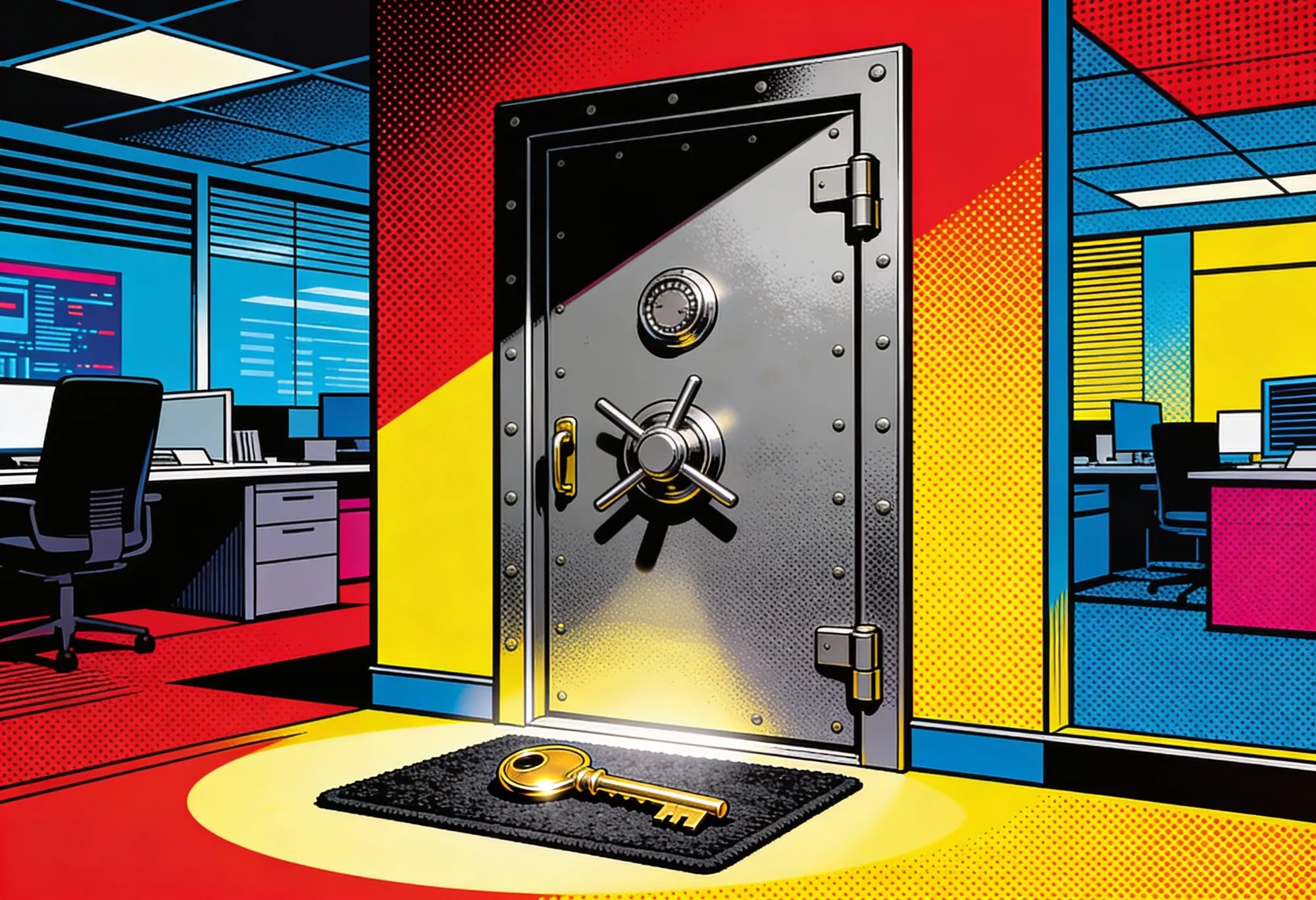
Think of it like a vault with a spare key taped under the doormat. The vault is solid. The key placement is the problem.
That backup sits in Redmond's data centers, unencrypted and waiting.
"While key recovery offers convenience, it also carries a risk of unwanted access," Microsoft spokesperson Charles Chamberlayne told Forbes, in what might be the understatement of the decade. The company receives about 20 requests for BitLocker keys each year from law enforcement. In cases where users stored their keys in the cloud, Microsoft complies. No hesitation in the response. No public hand-wringing about user privacy. Just confirmation that yes, they do this, and yes, they will keep doing it.
The Guam case marks the first publicly confirmed instance of Microsoft providing encryption keys to federal investigators. But there is nothing in the company's statements suggesting they would do otherwise when presented with what they consider a valid legal order. The architecture permits it. The law requires it. The outcome was always predictable.
Compare this to Apple's approach. FileVault, the Mac equivalent of BitLocker, also encrypts your entire hard drive. iCloud can store encryption keys too. The difference is what happens to those keys once they leave your device.
Apple wraps the keys in additional encryption before storing them. Even Apple cannot read what it holds. Back in 2016, the feds wanted into a San Bernardino shooter's iPhone. Apple said no. Tim Cook showed up on cable news to explain why. The company's lawyers filed motions. Their argument was simple: build a backdoor for this phone, you've built it for every phone. The FBI eventually hired some contractor to crack the device. Cost them a reported $900,000.
Meta's WhatsApp uses a similar zero-knowledge architecture for message backups. The company stores encrypted keys but cannot access them without user credentials. Google offers the same protection for Android backups.
Strategic AI news from San Francisco. No hype, no "AI will change everything" throat clearing. Just what moved, who won, and why it matters. Daily at 6am PST.
No spam. Unsubscribe anytime.
"If Apple can do it, if Google can do it, then Microsoft can do it," said Matthew Green, a cryptography professor at Johns Hopkins University. "Microsoft is the only company that's not doing this. It's a little weird."
The word "weird" does a lot of work in that sentence. Microsoft built cloud services that dominate enterprise computing. Its engineers designed some of the most sophisticated security systems in corporate technology. The company chose not to build BitLocker with zero-knowledge key storage. That was a decision, not an oversight.
And when reporters started asking about it this week, Microsoft's response landed somewhere between shrug and corporate boilerplate. No defensiveness about the comparison to Apple. No promise to reconsider the architecture. Just a statement that customers can choose to store keys locally if they prefer. The posture reads as unbothered, a company secure enough in its market position that privacy criticism slides off like water.
Most Windows users have no idea their encryption keys live on Microsoft's servers. The setup process that uploads these keys happens during initial configuration, buried in the flow that encourages you to sign in with a Microsoft account. You can opt out, but the path to do so requires knowing it exists. It's the digital equivalent of signing a mortgage and discovering later that paragraph 47 gave the bank a spare key to your house.
"It's frankly shocking that the encryption keys that do get uploaded to Microsoft aren't encrypted on the cloud side, too," wrote Zac Bowden at Windows Central. "It is a privacy nightmare for customers."
You can check whether Microsoft holds your BitLocker keys right now. Visit account.microsoft.com/devices/recoverykey. If you see entries there, Microsoft can decrypt your hard drive. So can anyone who compels Microsoft to cooperate, or anyone who compromises Microsoft's infrastructure. Open that page on a work laptop and watch what appears. Most people who try this for the first time sit there staring at a list of keys they never knew existed.
That second possibility is not hypothetical. Chinese state hackers breached Microsoft's cloud systems in 2023, stealing cryptographic keys that let them access US government email accounts. The company's security track record includes multiple high-profile failures. Somewhere in Redmond, servers hum with keys to an unknown number of Windows PCs worldwide, each one a potential target.
Green, the Johns Hopkins professor, made another observation worth sitting with. "Once the U.S. government gets used to having a capability, it's very hard to get rid of it."
The FBI now knows Microsoft will hand over BitLocker keys when asked. Other agencies are watching. ICE, currently in the middle of a hiring surge with abbreviated screening, handles immigration enforcement that increasingly involves seizing electronics. Picture an agent in a fluorescent-lit processing center, laptop open, scrolling through someone's family photos because a warrant covered the whole drive. CBP can hold devices at borders without warrants. Local police departments vary wildly in their respect for privacy.
Join thousands of executives who start their day with Implicator.ai. One email. The stories that matter. No fluff.
No spam. Unsubscribe anytime.
Twenty requests per year is a small number. It will not stay small. Capabilities migrate through bureaucracies, one agency watching what another gets away with.
Senator Ron Wyden called out the design directly. "It is simply irresponsible for tech companies to ship products in a way that allows them to secretly turn over users' encryption keys," he said in a statement to Forbes. "Allowing ICE or other Trump goons to secretly obtain a user's encryption keys is giving them access to the entirety of that person's digital life."
The ACLU's Jennifer Granick raised a different concern, one grounded in what happens after the files land on an investigator's desk. "The keys give the government access to information well beyond the time frame of most crimes, everything on the hard drive. Then we have to trust that the agents only look for information relevant to the authorized investigation, and do not take advantage of the windfall to rummage around."
You can remove your BitLocker key from Microsoft's servers. Delete it from the recovery key page. Store it on a USB drive or print it out and lock it somewhere safe. Lose that backup, and you lose access to your encrypted data forever. That's the tradeoff.
Experts like Green recommend exactly this approach for anyone with meaningful privacy concerns. Journalists. Lawyers. Activists. Anyone who might attract government attention.
The Electronic Frontier Foundation's Erica Portnoy framed it bluntly. "Microsoft is making a tradeoff here between privacy and recoverability. It's a clear message to activist organizations and law firms that Microsoft is not building their products for you."
That leaves most Windows users in an uncomfortable position. The default settings prioritize convenience over sovereignty. Changing them requires technical knowledge and a willingness to accept the consequences of a lost key. Microsoft designed a system where doing the safe thing is harder than doing the risky thing.
There is a version of this story where Microsoft looks reasonable. They comply with valid legal orders. They let users store keys locally if they choose. They disclose their practices in documentation and transparency reports.
But architecture is policy. The decision to upload unencrypted keys by default, to bury the opt-out, to build systems that can comply with decryption demands when competitors built systems that cannot, those are choices. They reveal priorities.
The Guam defendants stand accused of fraud. The evidence against them may be overwhelming. Whether law enforcement should have accessed their encrypted drives is a separate question from whether Microsoft should have made that access possible.
Encryption promises that only you can read your data. BitLocker, as shipped, does not deliver on that promise. The keys sit in someone else's computer, readable by that someone and anyone with power over them.
Every Windows PC with BitLocker enabled and a Microsoft account connected is a door waiting to be opened. The vault is solid. The spare key is under the doormat. And when federal agents check there first, they find exactly what they're looking for.
Q: What is BitLocker and how does it work?
A: BitLocker is Microsoft's full-disk encryption system that ships enabled by default on most modern Windows PCs. It encrypts your entire hard drive, making data unreadable without the correct decryption key. When you set up Windows with a Microsoft account, the system generates a 48-digit recovery key that gets uploaded to Microsoft's servers unless you actively prevent it.
Q: Can Microsoft read my BitLocker encryption keys?
A: Yes. Unlike Apple's FileVault or Google's Android backup encryption, Microsoft stores BitLocker recovery keys in plain text on its servers. The company can read these keys and has confirmed it provides them to law enforcement when presented with valid legal orders. Microsoft receives approximately 20 such requests per year.
Q: How do I check if Microsoft has my BitLocker keys?
A: Visit account.microsoft.com/devices/recoverykey while signed into your Microsoft account. If you see entries listed there, Microsoft has copies of your encryption keys. You can delete them from this page, but you should first save the keys somewhere secure like a USB drive or printed document.
Q: Why does Apple handle encryption keys differently than Microsoft?
A: Apple uses zero-knowledge encryption for FileVault keys stored in iCloud. The keys are encrypted before leaving your device, so Apple cannot read what it stores. When the FBI demanded access to a shooter's iPhone in 2016, Apple refused because it literally could not comply. Microsoft made a different architectural choice that prioritizes key recovery over privacy.
Q: Should I remove my BitLocker keys from Microsoft's servers?
A: Security experts recommend this for anyone with heightened privacy concerns, including journalists, lawyers, activists, and anyone who might attract government attention. The tradeoff is real: lose your local backup key and you lose access to your encrypted data forever. Store the key on a USB drive or print it before deleting from Microsoft.

Meta's $2B Manus deal triggered reviews by three Chinese agencies. The 'China shedding' playbook for AI startups faces its first test.

Beijing tells Alibaba and ByteDance to prepare H200 orders, but dual-approval dysfunction between the US and China keeps $54B in chips frozen.

Anthropic publishes 80-page constitution teaching Claude why to behave ethically. Safety ranks above ethics. Company acknowledges possible AI consciousness.

Apple is building an AI wearable pin for 2027, planning 20 million units. Humane sold fewer than 10,000 before HP bought the remains.
Get the 5-minute Silicon Valley AI briefing, every weekday morning — free.