IMPLICATOR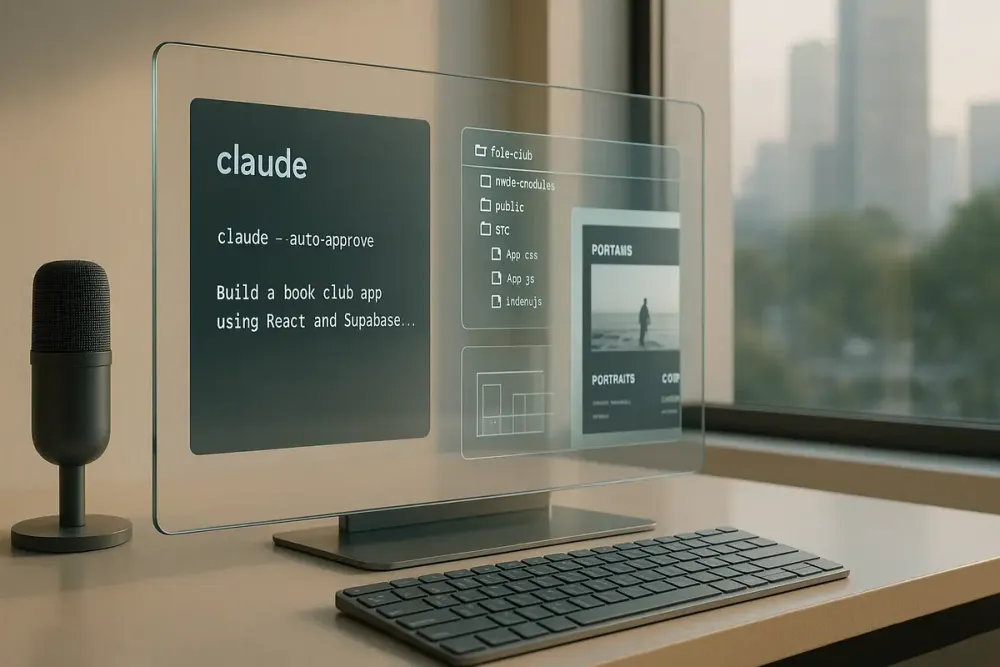
💡 TL;DR - The 30 Seconds Version
🤖 Claude Code runs in your terminal and builds complete applications without requiring any coding knowledge.
🏗️ You can create recipe managers, portfolio websites, book club apps, and social networks using simple text commands.
⚡ Install takes one command: npm install -g @anthropic-ai/claude-cli, then type "claude" to start building.
🌐 Apps deploy automatically to GitHub and Netlify, going from idea to live website in minutes.
🔧 The tool handles React apps, databases, user authentication, and payment processing behind the scenes.
🚀 Non-developers can now build production-ready applications that previously required months of coding experience.
Claude Code runs in your terminal and helps you code faster. It can understand your codebase, edit files, run commands, and handle coding workflows through natural language commands. This guide shows you how to use it effectively.
Getting Started
Install What You Need
Prerequisites:
- Node.js 18+ from nodejs.org
- An Anthropic account with either:
- Active billing at console.anthropic.com, OR
- Claude Pro or Max subscription
Open Terminal on Mac/Linux or Command Prompt/WSL on Windows. Type:
npm install -g @anthropic-ai/claude-code
Note: Do NOT use sudo with npm install as it can cause permission issues.
Authenticate Claude Code
When you first run Claude Code, you'll need to authenticate:
claude
Choose your authentication method:
- Anthropic Console (default): Complete the OAuth process in your browser
- Claude App: If you have a Pro or Max subscription
Test Your Setup
Navigate to any project directory and run:
claude
Claude Code will start and you can begin giving it commands. It will ask for permission before making any file changes or running commands.
Basic Terms
- Terminal: Text interface for your computer
- Directory: A folder
- CLI: Command Line Interface
- MCP: Model Context Protocol (for connecting external tools)
Part 1: Build a Recipe Management System
Let's start with something useful - organizing your cooking recipes.
Create the Structure
cd ~/Documents
claude
Tell Claude:
Create a folder called "recipe-manager" here. Inside, make three folders: "ingredients" for shopping lists, "recipes" for complete recipes, and "meal-plans" for weekly planning. Add a readme file that explains this system.
Claude will ask for permission to create these folders and files, then build the structure.
Add Content
Tell Claude:
Create a sample recipe for spaghetti carbonara in the recipes folder. Include ingredients list, instructions, and prep time. Format it nicely in markdown.
Generate a Meal Plan
Once you have several recipes saved:
Create a weekly meal plan using the recipes in the recipes folder. Include a combined shopping list in the ingredients folder.
Part 2: Build a Portfolio Website
Now let's create something for the web.
Set Up Your Project
mkdir portfolio-site
cd portfolio-site
claude
Create the Website
Tell Claude:
Build a portfolio website for a freelance photographer. Create an index.html with a clean, minimal design. Add separate pages for portraits, landscapes, and contact info. Include CSS for styling with smooth animations. Use vanilla JavaScript for any interactions.
Claude will:
- Create HTML, CSS, and JavaScript files
- Set up the folder structure
- Add responsive design
Preview Your Work
Tell Claude:
Start a local server so I can preview the website
Or manually:
python3 -m http.server 8000
# or
npx http-server
Open http://localhost:8000 in your browser.
Part 3: Deploy Your Site
Set Up Version Control
- Create a GitHub account if you don't have one
- Create a new repository
- Initialize git in your project:
Initialize this as a git repository and create a proper .gitignore file
Upload to GitHub
Help me push this code to my GitHub repository at [your-repo-url]
Deploy with Netlify or Vercel
- Sign up for Netlify (netlify.com) or Vercel (vercel.com)
- Connect your GitHub account
- Import your repository
- Deploy automatically
Your site will get a public URL like your-site.netlify.app
Add a Custom Domain (Optional)
- Buy a domain from a registrar
- In Netlify/Vercel, add your custom domain
- Update your domain's DNS settings as instructed
Part 4: Build a Book Club App with React
Set Up the Project
claude
Tell Claude:
Create a new React app called book-club-app using create-react-app
Plan the Features
I want to build a book club app with these features:
- User registration and login (we'll use local state for now)
- Add books to a reading list
- Discussion threads for each book
- Book recommendations

Create the basic React component structure for this.
Build the Components
Claude will create the React components. You can iterate:
Add a BookList component that displays books in a grid layout with cover images
Add Styling
Style the app using CSS modules or styled-components. Make it look modern and clean.
Run the Development Server
Start the React development server
The app will open at http://localhost:3000
Working with Claude Code Effectively
Command Options
Skip confirmation prompts (use carefully):
claude --auto-approve
Non-interactive mode for scripts:
claude -p "Create a Python script that organizes files by date"
Best Practices
- Be Specific: Give clear, detailed instructions
- Iterate: Build features incrementally
- Review Changes: Claude shows diffs before applying changes
- Use Context: Claude understands your whole project structure
MCP Integration
Claude Code can connect to external tools via MCP:
- Google Drive for documents
- GitHub for issues and PRs
- Slack for team communication
- Custom tools via MCP servers
Useful Commands
Inside Claude Code:
/help- Show available commands/clear- Clear conversation context/bug- Report issues/mcp- Manage MCP connections
What You Can Build
With these skills, you can create:
- Static websites and landing pages
- React/Vue/Angular applications
- Node.js backend services
- Python scripts and automation
- Data analysis tools
- API integrations
- Chrome extensions
- And much more
Troubleshooting
Installation Issues:
- Ensure Node.js 18+ is installed
- Don't use sudo with npm
- Check the troubleshooting guide
Authentication Problems:
- Ensure you have an active Anthropic account
- Check your billing is set up or you have a Pro/Max subscription
Performance:
- Claude Code uses API tokens at standard pricing
- Consider using
--small-modelflag for simpler tasks
Important Notes
- Claude Code always asks permission before making changes
- It runs locally and connects to Anthropic's API
- Your code stays on your machine
- Feedback is collected to improve the tool but not used for model training
Keep Learning
The official documentation at docs.anthropic.com/claude-code has comprehensive guides on:
- Advanced MCP usage
- CI/CD integration
- Team collaboration
- SDK for building custom tools
Remember: Claude Code is a powerful assistant, but you remain in control. It helps you code faster while you focus on what you want to build.
❓ Frequently Asked Questions
Q: How much does Claude Code cost to use?
A: You need a Claude subscription starting at $20/month for Pro. The claude-cli tool is free. Add Netlify (free tier) and Supabase (free for small projects). Most beginners start building for under $25/month total.
Q: What are the system requirements?
A: Node.js 16 or higher on Windows, Mac, or Linux. Any computer from the last 5 years works fine. Claude Code uses about 100MB disk space and minimal RAM. No special hardware needed.
Q: How long does it take to learn?
A: Most people build their first working app within 2-3 hours. The recipe manager takes about 30 minutes. A full social network app typically needs 4-6 hours spread across sessions. Zero coding experience required.
Q: Is it safe to let AI control my computer?
A: Claude Code only runs commands you approve. It can't access personal files outside project folders, install software without permission, or modify system settings. You review every action before it happens.
Q: Can Claude Code build enterprise-level applications?
A: It works best for prototypes and small-to-medium apps. Handles user authentication, databases, and payments well. Complex enterprise features like advanced security or scaling for thousands of users need traditional development.

Marcus Schuler
Editor-in-Chief and founder of Implicator.ai. Former ARD correspondent and senior broadcast journalist with 10+ years covering tech. Writes daily briefings on policy and market developments. Based in San Francisco. E-mail: editor@implicator.ai