
You probably have a dusty laptop from 2018 sitting on a shelf somewhere. Maybe a Raspberry Pi collecting cobwebs in a drawer. That old Mac Mini you replaced two years ago works fine for this. Any of these machines can run a personal AI assistant, one that messages you before you think to ask, handles your smart home and calendar, remembers every conversation you've ever had with it.
Clawdbot turns forgotten hardware into something useful. Peter Steinberger built it, and a community that pushes updates hourly now keeps it running. Hardware requirements look like a typo: 1GB of RAM, 500MB of disk space. Federico Viticci at MacStories burned through 180 million tokens in his first week of playing with it. He killed his Zapier subscriptions. Automated his Todoist workflow. Built a multilingual voice assistant that switches between Italian and English based on how he's speaking.
Most people assume you need expensive hardware or deep technical knowledge. You don't. What you need is patience with a setup wizard that still has rough edges and a willingness to learn as you go.
Key Takeaways
• Clawdbot runs on hardware as modest as a Raspberry Pi 4 or a $5/month VPS from Hetzner
• The AI model subscription ($20-200/month) costs more than the hardware for most setups
• Full shell access means real automation power, but also requires careful security configuration
• Active Discord community fixes bugs within minutes and pushes updates hourly
What makes this different from ChatGPT
Claude and ChatGPT live on someone else's servers. You visit a website and type a question. You get an answer. Close the tab and the conversation disappears. Clawdbot inverts this relationship. The assistant runs on hardware you control, stores memories in Markdown files you can read, and reaches out to you through WhatsApp or Discord before you remember to ask.
Four capabilities separate Clawdbot from consumer chatbots:
Persistent memory. Tell it about a meeting on Friday. A week later, ask about your schedule. It remembers. The memory system uses plain text files that sync with Obsidian, search with Raycast, and back up with your normal backup routines.
Proactive messaging. You can schedule a daily briefing at 8 AM, or get stock alerts when prices cross thresholds you set. Weather warnings arrive before storms do. The assistant doesn't wait for you to ask.
Full computer access. Browse the web. Fill out forms. Check email. Run shell commands. Control applications. If you can do it on a computer, Clawdbot can do it while you sleep.
Channel flexibility. Works with WhatsApp and Discord. Also Slack, Signal, iMessage. Most people pick whatever app they already have on their phone. Your assistant's memory stays intact across all of them.
Four components make up the architecture. A gateway handles messaging connections and scheduling. An agent runs the AI model. Skills extend what the agent can do. Memory maintains context across sessions. The browser analogy works well here. Gateway is the window frame. Agent is the rendering engine. Skills are extensions you install. Memory is browsing history that actually does something useful for once.
Choosing your hardware
The minimum requirements catch people off guard: a single CPU core, a gigabyte of RAM, half a gigabyte of disk. Not a typo. The Clawdbot Discord has Pi 4 users who've been running it for months. That ten-year-old ThinkPad with Ubuntu sitting in your closet? Also fine.
Option 1: Cheap VPS
I use Hetzner. Three euros a month for a small server. DigitalOcean, Vultr, similar deal. A VPS keeps running without burning electricity at your house. Software updates happen on their end. Your home internet can drop and the bot stays up.
For the server, you're looking at $4-5 monthly. The AI model adds $20-200 on top, depending on how much you actually use it.
Option 2: Raspberry Pi
A Pi 4 with 2GB of RAM costs about fifty bucks. Add a cheap case and power supply. Install Raspberry Pi OS. Setup takes longer than a VPS, but once you own the hardware, you're done paying for it.
The Pi itself runs $50-100 upfront, and then you're looking at $20-200 monthly depending on which AI model you go with.
Option 3: Old Mac or laptop
If you've got a dusty MacBook from 2017 lying around, it runs macOS just fine for this. Set it to automatic login. Turn off sleep mode. Keep it plugged in. You get iMessage support this way, which only works on macOS, plus tools you already know.
Hardware cost is zero if you already own it. Just add $20-200 monthly for the AI model.
Option 4: Mac Mini
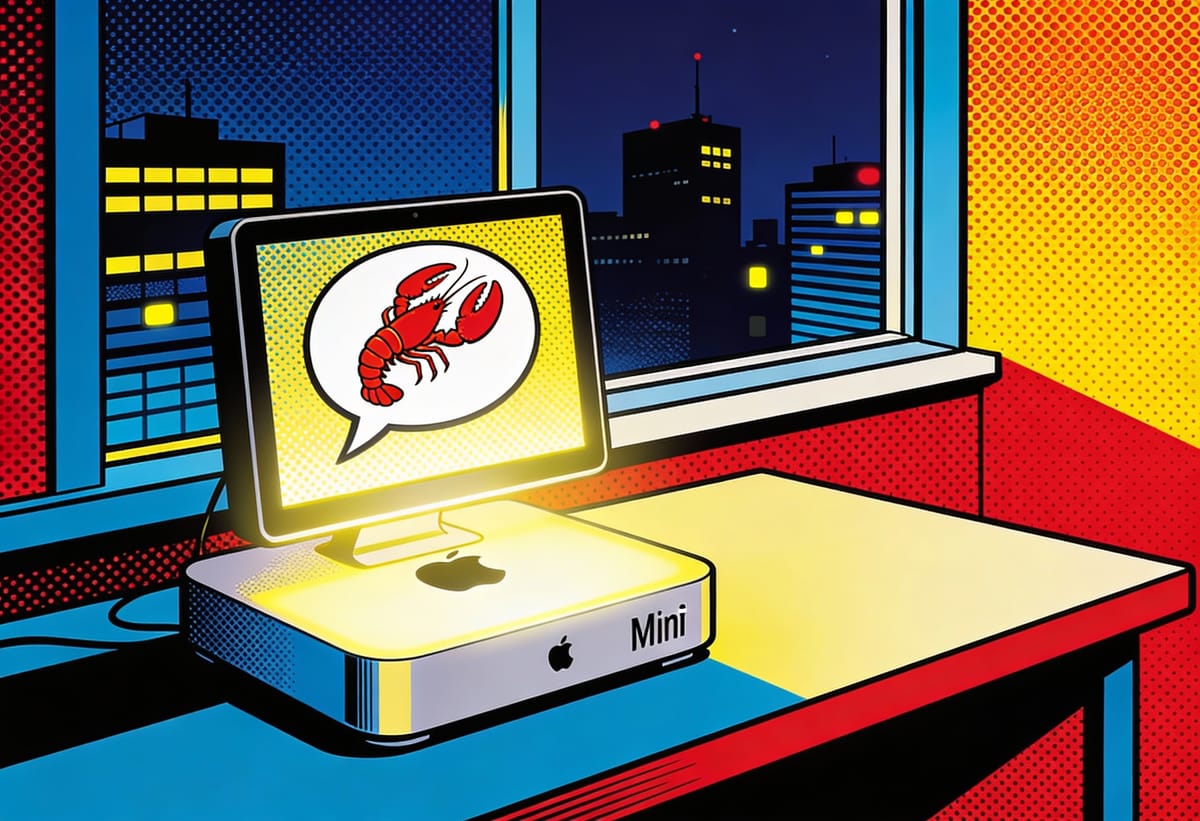
Federico Viticci runs an M4 Mac Mini for about $600. Silent operation, sips power, handles everything Clawdbot throws at it. This is the premium path for people who don't mind spending.
Viticci pays $200 monthly for Claude Max on top of that hardware cost.
The AI model costs more than the hardware for most setups. Claude Pro at twenty dollars monthly works for casual use. Claude Max at two hundred dollars monthly suits heavy users who burn through millions of tokens. Gemini and local models through LM Studio offer cheaper alternatives with trade-offs in capability.
Setting up a five-dollar VPS
The terminal window blinks on a fresh Ubuntu server. No GUI, no desktop icons, nothing pretty. Just white text on black. Log in as root. Run the updates:
apt update && apt upgrade -y
reboot
After the reboot, get Tailscale running. Private network between your devices, no exposed ports, no firewall hassle:
curl -fsSL https://tailscale.com/install.sh | sh
sudo tailscale up
tailscale ip
That prints a Tailscale IP address. Save it. You'll need it for secure connections later.
Stay ahead of the AI curve
Strategic AI news from San Francisco. No hype, no "AI will change everything" throat clearing. Just what moved, who won, and why it matters. Daily at 6am PST.
No spam. Unsubscribe anytime.
Make a dedicated user for Clawdbot. Root tends to break things, plus a separate user means you have an escape hatch when stuff goes wrong:
adduser clawdbot
usermod -aG sudo clawdbot
su - clawdbot
Install Node.js version 22 and pnpm:
curl -fsSL https://deb.nodesource.com/setup_22.x | sudo -E bash -
sudo apt install -y nodejs
npm install -g pnpm
Clone the repository and build from source. The build process takes a few minutes on a cheap VPS, longer on a Raspberry Pi:
git clone https://github.com/clawdbot/clawdbot.git
cd clawdbot
pnpm install
pnpm run build
pnpm run ui:build
Run the onboarding wizard:
pnpm clawdbot onboard --install-daemon
The wizard walks through model selection, authentication, and channel setup. Choose "Local Gateway" for a VPS. Accept the default workspace directory. Authenticate with your Claude credentials or API key. Use port 18789 and bind to loopback only.
Connecting WhatsApp
WhatsApp requires a real phone number. VoIP numbers and virtual numbers get blocked. The safest setup uses a dedicated phone with an eSIM. Leave it on Wi-Fi somewhere and forget about it. You can use your personal number instead, but that creates risk: every incoming message becomes potential input to the agent.
Add WhatsApp to your configuration file at ~/.clawdbot/clawdbot.json:
{
  channels: {
    whatsapp: {
      dmPolicy: "pairing",
      groups: { "*": { requireMention: true } }
    }
  }
}
Run the channel login command:
clawdbot channels login
A QR code appears in your terminal. Time to link your phone. In WhatsApp, find Settings → Linked Devices → Link a Device. Scan that QR code. A few seconds later the terminal confirms the connection.
Text your linked number to test it. A pairing code appears. Run this command to approve yourself:
clawdbot pairing approve whatsapp YOUR_PAIRING_CODE
The bot should respond within seconds. If nothing happens, check the logs with clawdbot status and look for error messages about authentication or network connectivity.
What you can build this weekend
The same capability powers most Clawdbot projects: natural language instructions replacing configuration files, cron jobs, and API integrations. Viticci asked his assistant to send daily briefings at 8 AM with calendar events, important emails, and AI news. Five minutes of conversation. The agent created a cron job, configured email access, set up web search, and started delivering summaries the next morning.
He did the same thing with a Zapier workflow that cost fifteen dollars monthly. The automation created Todoist projects from RSS feed items. In about five minutes of back-and-forth messaging, Clawdbot wrote a shell script, configured the schedule, tested everything. No subscription anymore.
One community member went further. They connected their startup's entire WhatsApp history, more than a thousand voice messages, and asked Clawdbot to transcribe everything using Whisper. The agent cross-referenced discussions with implementation status and generated a searchable knowledge base. First try. No custom skills.
The grocery shopping automation shows where this gets interesting. Take a photo of a recipe, send it over. Clawdbot figures out the ingredients, checks what you're missing from your preferred grocery store, adds those items to your cart, and handles the purchase. You'll need browser control enabled and payment credentials saved in the browser profile for this one.
Voice works too. If you prefer talking to typing, install Whisper for speech recognition and ElevenLabs for text-to-speech. Send voice notes through WhatsApp. Get spoken responses back. Viticci talks to his assistant in Italian while walking around, then reads written responses in English when he's back at his desk. One conversation that moves between speaking and reading as the situation demands.
Giving the keys to something that can drive
Clawdbot has shell access to your computer. It can read your files. It can send emails under your name. It can browse the web and execute arbitrary commands. The documentation states this plainly: "Perfect security is impossible when running frontier AI models with shell access."
Most people feel uneasy about this. The discomfort is appropriate. You're handing keys to something that can drive anywhere, and the destination depends on what it decides to do with your instructions. The automated grocery shopping example from earlier requires saved payment credentials. The same credentials that buy your groceries could buy anything else. A prompt injection attack, a confused instruction, a model hallucination that interprets "order dinner" as "order five hundred dollars of dinner," all become possible once you grant the access that makes automation useful.
Daily at 6am PST
Don't miss tomorrow's analysis
No breathless headlines. No "everything is changing" filler. Just who moved, what broke, and why it matters.
Free. No spam. Unsubscribe anytime.
Picture a gated neighborhood instead of a fortress. You're letting an AI run shell commands on your machine. No such thing as perfect defense here. What you can do: decide who gets in, limit where they wander, lock down what they're allowed to mess with.
Control who triggers the bot. The pairing system blocks unknown senders by default. Someone messages your bot without authorization? They get a code that expires in an hour and does nothing until you approve it. Never set the allowlist to accept everyone unless you want strangers running commands on your computer.
Limit where the bot can act. Sandboxing isolates tool execution in Docker containers. Read-only mounts prevent modifications to sensitive directories. Tool allowlists restrict which capabilities each agent can use. A family member's agent can check calendars but not send emails. A public-facing agent can chat but not touch the filesystem.
Separate credentials from conversations. The browser profile that holds your payment credentials should not be the profile that browses arbitrary URLs at the agent's request. Create a dedicated profile for automation tasks. Keep your daily driver browser separate.
Run security audits regularly:
clawdbot security audit --deep
The audit flags common misconfigurations: exposed gateway authentication, browser control without tokens, elevated permissions in shared channels. Fix what it finds.
When things break
Clawdbot is early-stage software. The maintainer admits the onboarding process has rough edges. You will hit weird errors. Some skills work better than others. Documentation improves daily but still has gaps.
The Discord community compensates for these weaknesses. Two Clawdbot instances run inside the Discord server, answering questions around the clock. Bugs get fixed within minutes of being reported. Pull requests merge faster than you can file them.
If Anthropic's API goes down, swap the brain without losing memory:
- Open your configuration file at
~/.clawdbot/clawdbot.json - Change the model from
anthropic/claude-opus-4-5togoogle/gemini-pro - Restart the gateway
Your conversation history stays intact. Only the AI model changes. This flexibility matters during outages, rate limits, or cost optimization.
When errors appear during setup, run Claude Code in the clawdbot directory. Paste the error message. Claude Code knows the codebase and can explain what went wrong. Better debugging than any documentation.
What comes next
Viticci replaced his Zapier subscriptions. He built a TV remote using voice commands. He automated newsletter workflows that used to take hours. His conclusion after burning through 180 million tokens: "There's no going back after wielding this kind of superpower."
Apple has spent thirteen years and billions of R&D dollars on Siri. Thousands of engineers. And the assistant still can't remember your favorite fruit ten seconds after you tell it. The gap between that institutional paralysis and what an open-source project delivers on a three-euro server should embarrass everyone in Cupertino. It probably does. But embarrassment doesn't ship features.
That dusty laptop in your closet has a new purpose. The Raspberry Pi in your drawer finally has a project worth building. The five dollars monthly you spend on a VPS buys more capability than a trillion-dollar company has managed to ship in over a decade.
Start with WhatsApp. It's what you already use. Run the one-liner installer on whatever hardware you have. Spend a weekend teaching the assistant your preferences. Watch it get better at predicting what you need.
The blinking cursor on a fresh Ubuntu server. The QR code scanned from a phone screen. The first message that actually gets a response. That's where this starts.
Frequently Asked Questions
Q: Do I need to keep my computer running 24/7 for Clawdbot to work?
A: Yes, if you want proactive features like morning briefings or scheduled alerts. A VPS solves this for $4-5 monthly since it runs continuously in a data center. Home hardware works too, but only when powered on.
Q: Can I use Clawdbot with a free AI model instead of paying for Claude?
A: Yes. Clawdbot supports local models through LM Studio and alternative providers like Gemini. Quality varies. Claude and GPT-4 handle complex tasks better than smaller models, but free options work for basic automation.
Q: What happens if I give Clawdbot access to sensitive accounts and something goes wrong?
A: The risk is real. Saved payment credentials can be misused. Sandboxing, separate browser profiles, and tool allowlists reduce exposure. Never grant full access to accounts you can't afford to have compromised.
Q: Can multiple people in my household use the same Clawdbot instance?
A: Yes. The multi-agent feature lets you create separate agents with different permissions. Each family member gets their own isolated workspace. One agent might have full access while another can only check calendars.
Q: How technical do I need to be to set this up?
A: Comfort with the command line helps. You'll run terminal commands, edit configuration files, and troubleshoot errors. The onboarding wizard handles most complexity, but expect to learn as you go. The Discord community answers questions quickly.
Related Stories
 Marcus Schuler