IMPLICATOR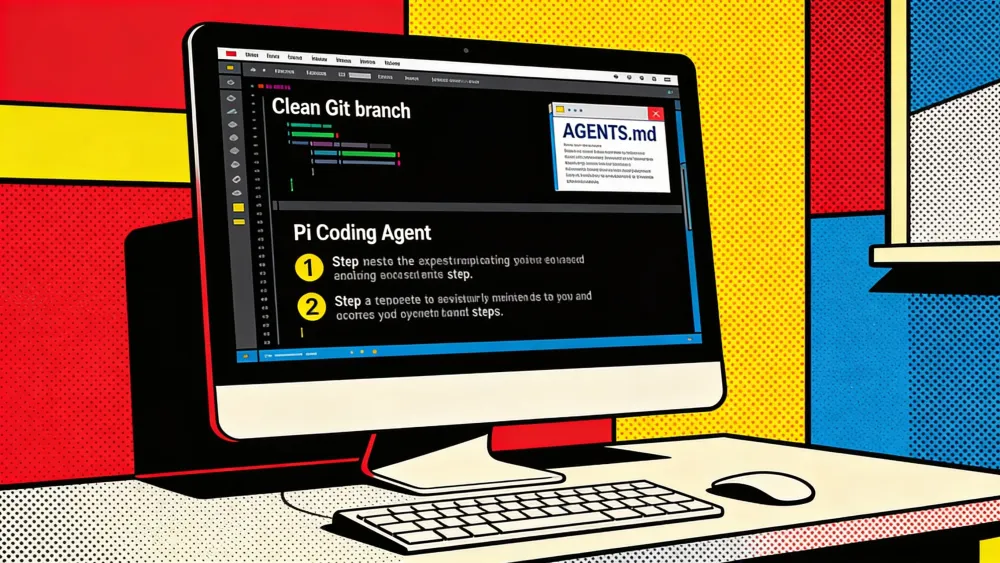
Open a repository you can afford to dirty before you start. Pi Coding Agent gives a model file access, shell access, and an editing loop inside the directory where you run it. The official quickstart keeps the first run short: install the command-line interface (CLI), start pi in a project folder, authenticate through /login or an application programming interface (API) key, then ask for a small task. The provider documentation fills in the credential paths. This tutorial turns that into a repeatable intermediate setup for someone who already uses Git, npm, the Node.js package manager, and terminal-based developer tools.
You will install the official @earendil-works/pi-coding-agent package, verify which pi binary your shell will run, authenticate one provider, add repository instructions, run a tool-enforced read-only test, then make one small edit. You will also see where .pi/settings.json, packages, and Model Context Protocol (MCP) belong. The Implicator has already covered Pi's broader positioning in Pi Is Not a Claude Code Rival. It Is a Harness Rebellion. Here, the job is narrower: leave with a baseline you can repeat on another project.
What You'll Learn
- Install the official Pi package and verify the binary your shell runs.
- Authenticate one provider without mixing credentials or model paths.
- Use AGENTS.md and read-only tools before the first edit.
- Add settings, MCP, and packages only after the baseline works.
AI-generated summary, reviewed by an editor. More on our AI guidelines.
Verify the binary before trusting it
Start with Node, npm, Git, and your shell path. During this research pass, npm metadata for the official @earendil-works/pi-coding-agent package listed Node >=22.19.0 as the engine requirement. That value can change as Pi moves, so treat the check as part of setup rather than trivia. On the machine used for this guide, pi --version returned 0.75.1; your version may differ by the time you run the command.
node -v
npm -v
git --version
npm view @earendil-works/pi-coding-agent version engines
npm install -g @earendil-works/pi-coding-agent
command -v pi
pi --version
npm ls -g --depth=0 @earendil-works/pi-coding-agent @oh-my-pi/pi-coding-agent || true
The package namespace matters. The official distribution is @earendil-works/pi-coding-agent. There is also an active @oh-my-pi/pi-coding-agent package with a different version line and a broader tool set. Choose that fork only when you want its behavior. If your team says "install Pi" and developers install both packages, the pi command may not match the docs they are reading.
Use npm for the first install unless you have a reason to prefer the shell installer. The official docs also show curl -fsSL https://pi.dev/install.sh | sh for macOS and Linux, but npm gives you an inspectable package name and an easier pinning story. If a global npm install fails with permissions, fix npm's prefix or use a Node version manager. Do not normalize sudo npm install -g on a development laptop.
Keep the first run narrow
Do not install MCP adapters, subagent packages, shell overlays, or theme bundles during this pass. A first Pi setup has enough moving parts: JavaScript runtime, global package, provider credential, repository policy, and Git state. When you add all of them at once, a failure has too many suspects. When you add them in order, the broken layer is usually visible.
Authenticate one provider path
Pi supports subscription logins and API-key providers. In the interactive app, /login handles Claude Pro or Max, ChatGPT Plus or Pro through Codex, and GitHub Copilot. API-key providers can use environment variables or ~/.pi/agent/auth.json. The provider docs say the auth file takes priority over environment variables, which is helpful once you know it and maddening when you forget it.
cd /path/to/project
pi

# Inside Pi
/login
/model
/quit
Pick one provider for the baseline. Do not configure Anthropic, OpenAI, Gemini, OpenRouter, and a local model in the same first session. You are proving that Pi can reach one model, load the project context, and follow a small instruction. Routing can wait until the core loop works.
If you use API keys instead of /login, set them in the same shell that starts Pi or store them through Pi's auth flow. Treat ~/.pi/agent/auth.json as a secret file. Confirm that it exists and has restrictive permissions, but do not print it into a terminal transcript. If you use the same laptop for work and personal repositories, evaluate PI_CODING_AGENT_DIR early so each context has separate credentials and session state.
Put the project contract in AGENTS.md
Pi reads context files such as AGENTS.md and CLAUDE.md from the current directory and parent directories. The usage docs describe those files as part of the interactive workflow. For a coding agent, the file is more useful than a long onboarding page because it tells the model what it may touch, which commands verify work, and which files must stay private.
# Agent Instructions

## Scope

- Work inside this repository only.
- Keep changes scoped to the user's request.
- Do not edit generated files directly. Update the source and run the generator.

## Commands

- Install: `npm install`
- Lint: `npm run lint`
- Typecheck: `npm run typecheck`
- Test: `npm test`

## Secrets and private data

- Do not read, print, edit, or commit `.env` files.
- Do not read credential stores, token files, browser profiles, or SSH keys.
- If a task needs a secret value, ask the user to run the command locally.

## Editing

- Prefer existing project patterns over new dependencies.
- Update tests when behavior changes.
- Explain any check you could not run.

## Delivery

- List changed files.
- List commands run and their results.
- Call out follow-up work separately.
Keep this file operational. Name the test command. Name the generated directories. Name secrets such as .env, token files, browser profiles, and credential folders. "Run tests" is weaker than npm test. "Do not touch secrets" is weaker than a list of paths the agent must not read, print, or commit.
Reload the context after every instruction edit. In Pi, /reload reloads keybindings, extensions, skills, prompt templates, and context files. For a long session that has already accumulated stale assumptions, start a new session instead. Session history helps when the task is stable. It hurts when you have just changed the rules.
Run the first session without edit tools
A prompt that says "do not edit" is only a request. Pi's CLI has an actual tool allowlist. The current help output documents a read-only pattern that enables read, grep, find, and ls while excluding write, edit, and bash. Use it for the first noninteractive smoke test.
git status --short
git switch -c pi-smoke-test-$(date +%Y%m%d-%H%M%S)
pi --tools read,grep,find,ls -p "Read AGENTS.md, package.json, and README if present. Identify install, test, and lint commands. Do not edit files."
git status --short
git diff --stat
The branch is still useful even though the tool set is read-only. It proves your Git state and gives you a place to continue once the summary is correct. Ask Pi to identify the likely install, test, and lint commands from project files. If it guesses, fix AGENTS.md before asking for edits.
Inside an interactive session, file references reduce ambiguity. Type @ and choose files such as @package.json, @README.md, or @AGENTS.md when you know the evidence Pi should read. A prompt like @package.json @README.md identify the setup and test commands, do not edit is smaller than figure out this repository.
After the read-only check, pick one reversible edit. A README typo, a comment cleanup, or a test-name clarification is enough. Avoid dependencies, migrations, deployment workflows, authentication code, and broad refactors. You are testing whether Pi can produce a narrow diff and run the documented check, not whether it can redesign the project.
# Prompt inside Pi
@README.md Fix one typo in this file only. Do not edit any other file.
After the edit, tell me the exact command I should run to verify it.

# In your shell after Pi finishes
git diff --stat
git diff
<project test command from AGENTS.md>
Review the patch in two passes. Start with git diff --stat, then read git diff. If Pi touched unrelated files, stop and tighten the prompt or the contract file. Do not ask the same loose session to repair a wide diff before you have looked at it yourself.
Add settings only after the loop works
Pi has global settings at ~/.pi/agent/settings.json and project settings at .pi/settings.json. The settings docs say project settings override global settings, with nested objects merged. Use that split as a design rule. Personal defaults belong globally. Reproducible project behavior belongs in the repository.
{
  "defaultProvider": "anthropic",
  "defaultModel": "claude-sonnet-4-20250514",
  "defaultThinkingLevel": "medium",
  "enabledModels": [
    "claude-*",
    "openai/gpt-4o",
    "github-copilot/*"
  ]
}
Get practical AI workflow guides
Strategic AI news from San Francisco. No hype, no "AI will change everything" throat clearing. Just what moved, who won, and why it matters. Daily at 6am PST.
No spam. Unsubscribe anytime.
Commit project settings only when another developer needs them to reproduce the same workflow. A team-agreed model can belong in .pi/settings.json. A personal provider key, local path, or theme preference does not. If a setting depends on an individual's account, document the choice in prose and keep the value out of Git.
Some startup behavior uses environment variables rather than project settings. PI_SKIP_VERSION_CHECK=1 disables the version update check, while PI_OFFLINE=1 or --offline disables startup network operations such as update checks and package checks. Settings cover items such as defaultProvider, defaultModel, defaultThinkingLevel, enabledModels, compaction, telemetry, session directories, and shell command prefixes. Add one knob at a time.
Install packages after you can review diffs
Pi packages can bundle extensions, skills, prompt templates, and themes. The package docs warn that packages run with full system access, extensions can execute arbitrary code, and skills can instruct the model to run executables. Treat a package like a developer tool with authority, not like a harmless prompt file.
For intermediate users, pi-mcp-adapter is often the first practical package because it exposes MCP servers to Pi. That can give Pi access to documentation search, issue lookup, browser automation, or internal services. It can also mix private-data tools with outbound network tools if you install first and review later.
pi install npm:pi-mcp-adapter@2.6.1
pi list
pi
# Inside Pi, run: /mcp setup
# Inside Pi, run: /quit

# Project-local variant, only when the repository requires it:
pi install npm:pi-mcp-adapter@2.6.1 -l
git diff -- .pi/settings.json
Use project-local installation with -l only when the repository should carry that dependency. Then inspect .pi/settings.json and any related local metadata before committing. A package required for the project should be visible in code review. A package you merely prefer should stay in your global Pi setup.
Start with read-only MCP tools. A documentation search server is a safer first addition than email, Drive, browser automation, or a GitHub write tool. If a tool can read private data, write to an external service, or upload repository contents, state the approval rule in AGENTS.md before Pi can call it.
Common mistakes and fixes
Installing the wrong Pi distribution
The failure looks like a settings problem at first. The docs say one thing, your binary does another, and /model or package commands do not line up. Check the package namespace before you debug providers.
npm ls -g --depth=0 @earendil-works/pi-coding-agent @oh-my-pi/pi-coding-agent || true
command -v pi
pi --version

# If you installed the community package by mistake:
npm uninstall -g @oh-my-pi/pi-coding-agent
npm install -g @earendil-works/pi-coding-agent
hash -r 2>/dev/null || true
command -v pi
pi --version
Fix the namespace first. If the shell resolves the wrong binary, every later symptom is suspect. After removal, open a new shell and confirm that which pi points where you expect.
Printing credentials while troubleshooting
Authentication errors tempt people to print environment variables or auth.json. A terminal log with a key in it becomes an incident before Pi has done any useful work. Confirm presence, path, and file permissions without revealing values. If a token may have leaked, rotate it before continuing.
AUTH_DIR="${PI_CODING_AGENT_DIR:-$HOME/.pi/agent}"
printf 'Pi agent directory: %s\n' "$AUTH_DIR"
test -d "$AUTH_DIR" && ls -ld "$AUTH_DIR"
test -f "$AUTH_DIR/auth.json" && ls -l "$AUTH_DIR/auth.json"
test -n "${ANTHROPIC_API_KEY:-}" && printf '%s\n' "ANTHROPIC_API_KEY is set"
test -n "${OPENAI_API_KEY:-}" && printf '%s\n' "OPENAI_API_KEY is set"
test -n "${GEMINI_API_KEY:-}" && printf '%s\n' "GEMINI_API_KEY is set"
The precedence order saves time here. Pi checks the command-line API key, then auth.json, then environment variables, then custom provider keys. If a fresh environment variable seems ignored, look for an older value in the auth file.
Starting from a dirty worktree
Pi can read, write, edit, and run bash by default. Keep rollback cheap before you use that power. If your worktree already has unrelated changes, Pi's first patch becomes hard to audit.
git status --short
if [ -n "$(git status --porcelain)" ]; then
  printf '%s\n' "Dirty worktree. Commit, stash, or create a separate worktree before Pi edits."
  exit 1
fi

git switch -c pi-first-edit-$(date +%Y%m%d-%H%M%S)
# Optional alternative from the parent directory:
# git worktree add ../my-project-pi-test -b pi-test HEAD
Use a branch or a separate worktree for the first edit. A one-file Pi patch is reviewable. A nine-file patch on top of human work turns setup into cleanup.
Adding tools before the baseline works
MCP, subagents, and shell overlays become useful after Pi's core loop works. Added too early, they hide the original failure. If Pi cannot install, authenticate, read AGENTS.md, make a one-file edit, and run the documented check, packages will not solve the setup.
Write the admission checklist in AGENTS.md or docs/pi-setup.md before adding packages:
node -vsatisfies the current npm engine requirement.npm install -g @earendil-works/pi-coding-agentsucceeds.command -v pipoints to the expected binary.pi --versionprints the version you plan to use.- One provider works through
/loginor API-key auth. AGENTS.mdnames scope, checks, and secrets.pi --tools read,grep,find,ls -p "..."leaves Git clean.- One tiny edit produces a narrow diff.
- The documented test or lint command runs.
- Package authority is written down before MCP or subagents are added.
Keep the admission rule visible in the project instructions when package behavior affects teammates: one package, one reason, one review.
What you can do next
You now have a Pi setup that starts from the official package, one provider, a repository contract, a read-only smoke test, and one controlled edit. Use it for real work only while prompts stay scoped and the diff remains small enough to review. The next useful topics are MCP configuration, custom skills, prompt templates, and project-local packages. Learn them after the first branch has produced a clean patch and a check command you trust.
Frequently Asked Questions
Do I need Node before installing Pi?
Yes. The official npm package declares a Node engine requirement, so check node -v and npm -v before installing. During this guide the observed requirement was Node 22.19.0 or newer.
Should I use the shell installer or npm?
Either can work. npm is the clearer first choice for many developers because it names the exact package, supports version pinning, and makes global package inspection straightforward.
How do I run Pi without edit access?
Use the CLI allowlist: pi --tools read,grep,find,ls -p "...". That disables write, edit, and bash for the first noninteractive smoke test.
Where should project rules go?
Put operational rules in AGENTS.md or CLAUDE.md. Name the files Pi may touch, the commands that verify work, and the secret paths it must not read or print.
When should I install pi-mcp-adapter?
Install it after the core loop works: package, provider, context file, read-only test, small edit, and check command. Add MCP only for a specific tool need.
AI-generated summary, reviewed by an editor. More on our AI guidelines.
Free AI briefing · Weekdays
The AI stories that matter, sourced and explained.
Join the Morning Briefing. It goes out every weekday at 4:45 a.m. Pacific, with later sends for the East Coast, Berlin and Tokyo.
Free when you sign up: The Paperclip Compendium, our tested guide to running AI agents.
Free. Unsubscribe in one click.

Marcus Schuler
Editor-in-Chief and founder of Implicator.ai. Former ARD correspondent and senior broadcast journalist with 10+ years covering tech. Writes daily briefings on policy and market developments. Based in San Francisco. E-mail: editor@implicator.ai