 IMPLICATOR

Implicator PRO Briefing #004 / 16 Dec 2025
Sarah Chen types 847 emails per week. She knows this because her company's IT department told her, right before suggesting she try voice dictation to reduce her carpal tunnel symptoms. Three months later, she's tested seven different AI transcription tools. Her verdict: "They all promise magic. Most deliver a mess I have to clean up anyway."
Chen's frustration captures the central tension in the AI voice transcription market. The technology has improved dramatically. OpenAI's Whisper model, released in late 2022, cut error rates roughly in half compared to previous state-of-the-art systems. Accuracy on clear English audio now regularly exceeds 90%. Yet adoption remains patchy, complaints about reliability persist, and professionals still reach for their keyboards when precision matters.
The market itself is crowded and confused. Meeting transcription tools like Otter.ai and Fireflies.ai deploy bots to record Zoom calls. Privacy-focused alternatives like Granola.ai capture audio locally but save no recordings. Open-source options let you run everything on your own hardware. Legacy players like Nuance Dragon charge $700 for software that only works on Windows. Each approach solves some problems while creating others.
For decision-makers evaluating these tools, the real questions aren't about features. They're about trade-offs. How much accuracy do you sacrifice for privacy? What does "unlimited" actually mean when storage caps apply? Can a tool that excels at meeting transcription handle single-speaker dictation, or vice versa? And beneath all of it: does automating transcription actually save time, or does it just shift the work from typing to editing?
This piece maps the full competitive field, from cloud platforms to offline tools. There's no obvious winner here, and honestly I'm skeptical of anyone who claims otherwise. The goal is helping you figure out which compromises you can live with.
Where this market came from
Voice transcription kicked around for decades without much mainstream traction. Dragon NaturallySpeaking shipped back in 1997, mostly to doctors and lawyers who could justify the learning curve. Google bolted voice search onto Android phones around 2008, but the accuracy was rough enough that most people gave up after a few frustrated attempts. The technology demanded hours of voice training, choked on accents, and produced errors faster than you could fix them. Some professionals had no choice but to use it. Everyone else just typed.
The pandemic changed the economics more than the technology. Once every meeting moved to Zoom, suddenly there was vastly more audio worth capturing. Startups that had been scraping along found themselves overwhelmed with demand. Otter.ai had been around since 2016, building a user base of maybe 2 million people. By 2022 they reportedly had north of 10 million. The product hadn't changed that dramatically. The context had.
What did change, technically, came a bit later. September 2022: OpenAI publishes Whisper. They'd trained it on a staggering 680,000 hours of audio scraped from all over the internet, mixing dozens of languages together in the training data. When independent researchers ran benchmarks, the error rates came in at roughly half what the best commercial systems had been managing. Accents that used to trip up older models came through cleaner. Background noise caused fewer problems. Technical jargon transcribed more reliably. And here's the part that really mattered: OpenAI gave it away. Open-source, free to download, run it on your own hardware if you've got a decent GPU. No licensing fees, no per-minute charges, nothing.
The Whisper Effect: OpenAI's open-source model transcribes 100+ languages at roughly $0.006 per minute via API, or free when run locally. A one-hour interview costs about 36 cents to transcribe. Human transcription services charge $1-2 per minute.
That release scrambled the whole competitive order. Before Whisper, vendors could differentiate on accuracy. Whose speech engine made fewer mistakes? After Whisper, the core transcription piece became basically a commodity. Everyone either licensed Whisper, built on top of it, or found their own accuracy claims suddenly less impressive by comparison. The competition shifted downstream: what happens after the words hit the page? Summaries and action items, piping notes into Salesforce, analytics dashboards showing who talked how much. That's where vendors try to justify their pricing now.
Meanwhile, anyone paranoid about cloud services got something they'd never really had: a legitimate option. Run Whisper locally, keep your audio on your own machine, pay nothing, get accuracy that rivals the paid services. Not a toy. Not a compromise. Actually good.
The upshot is a messy, fragmented market where nobody dominates. Meeting-focused tools chase enterprise contracts. Podcasters gravitate toward editing hybrids like Descript. Privacy hawks run everything locally. Doctors and lawyers still buy Dragon, often because their IT departments set it up years ago and nobody wants to switch. Different buyers want different things, and no single product threads all those needles.
Mapping the field
Before getting into the weeds, two tables lay out the main players. The first covers meeting transcription services, the kind of tools teams use to capture and process group calls. The second covers individual dictation and transcription, for professionals turning their own speech into text.
Meeting Transcription & Note-Taking Services (Cloud/SaaS)
| Tool | Real-Time Transcription | Records Audio/Playback | Speaker ID | Languages | Free Tier | Paid Plans (USD) | Platforms |
|---|---|---|---|---|---|---|---|
| Otter.ai | Yes (live in meetings) | Yes (via OtterPilot bot) | Yes (moderate accuracy) | 5 languages | 300 min/month, 30 min per conversation | Pro ~$17/mo (1,200 min); Business ~$30/mo (6,000 min) | Web, iOS, Android, Chrome extension |
| Granola.ai | Yes (on-device) | No recordings saved | Basic diarization only | Primarily English | Unlimited notes, 14-day history cap | Business $15/user/mo; Enterprise $35/user/mo | macOS, Windows (beta), iPhone |
| Fireflies.ai | Yes (via bot) | Yes (full audio recordings) | Yes (good accuracy) | 100+ languages | Unlimited meetings, 800 min storage, 20 AI credits | Pro $18/mo (8,000 min); Business $29/mo (unlimited) | Web, Chrome extension, iOS, Android |
| tl;dv | Yes | Yes (video & audio) | Yes | 30+ languages | Unlimited recordings, basic AI summaries | Pro Teams ~$20-25/user/mo | Web, Chrome extension |
| Krisp | Yes (+ noise cancellation) | Yes | Yes | English (accent neutralization) | Limited transcription minutes | Pro ~$12-15/mo | Windows, Mac desktop |
| Gong | Yes (auto-records) | Yes (with AI analytics) | Yes (with sentiment) | English primarily | No free tier | Enterprise only ~$100+/user/mo | Web platform with CRM integrations |
Individual Dictation & Transcription Tools
| Tool | Mode of Operation | Speaker ID | Languages | Free Option | Pricing (USD) | Platforms |
|---|---|---|---|---|---|---|
| OpenAI Whisper / SuperWhisper | Offline (local) or via API | No (single-speaker focus) | 100+ languages, translation to English | Whisper model is free/open-source | SuperWhisper Pro $8.49/mo; API ~$0.006/min | macOS, iOS; Windows/Linux via CLI |
| Nuance Dragon | Offline desktop software | No (single user) | English, French, Spanish, German (separate editions) | No free tier | $500-700 one-time; Dragon Anywhere ~$15/mo | Windows only; mobile via Dragon Anywhere |
| Trint | Cloud transcription with web editor | Yes (labels speakers) | 40+ languages, translation to 50+ | Free trial only | Starter ~$60/mo; Advanced ~$100/mo | Web platform |
| Descript | Hybrid cloud AI with desktop editor | Yes (auto-detects) | 20+ languages | ~1 hour transcription/month free | Creator ~$15/mo (10 hrs); Pro ~$30/mo (unlimited) | Mac and Windows desktop |
Why accuracy numbers mean less than you'd think
Every vendor throws around accuracy stats. "85% accurate." "95% word recognition." These figures are close to useless for making a purchasing decision. Testing conditions vary all over the place. One vendor tests with a professional voice actor reading scripts in a studio. Another tests with real meeting audio. The numbers aren't comparable.
Here's what actually happens. Otter's own documentation cops to about 85% accuracy under good conditions. That sounds decent until you sit down with a calculator. Fifteen wrong words per hundred. Now, an hour-long meeting where people are talking at normal speed, maybe a little fast when they get excited, that's going to produce somewhere around 8,000 to 10,000 words depending on how much dead air there is. Multiply it out and you're staring at 1,200 to 1,500 mistakes scattered through the transcript. Plenty of those are going to be harmless, the kind of thing where "the" becomes "a" and you'd never notice. But plenty won't be. A client name mangled. A dollar figure off by a digit. Some technical term the model had never seen before, rendered as gibberish.
Speaker identification compounds the problem. All these meeting tools claim they can tell who said what. Once you get past two or three people in a room, especially if any of them have similar voices or they talk over each other, accuracy falls apart. Granola's approach is particularly risky on this front. They don't save any audio. So if the transcript claims your CFO committed to a timeline she never mentioned, you can't go back and listen to check. One reviewer called these "permanently unverifiable" records, which is a phrase that should make anyone using transcripts for anything consequential a little nervous.
The whole business case here rests on time savings. But I've watched people spend an hour cleaning up a transcript when they could have typed rough notes from memory in 45 minutes. At that point the tool is costing you time, not saving it. The question isn't whether automation helps. It's whether it helps for what you specifically need. Capturing the gist of a meeting? Eighty-five percent probably works. Creating a record that might matter in a dispute later? You need something much better than that, or you need a human reviewing every line.
The bot in the room
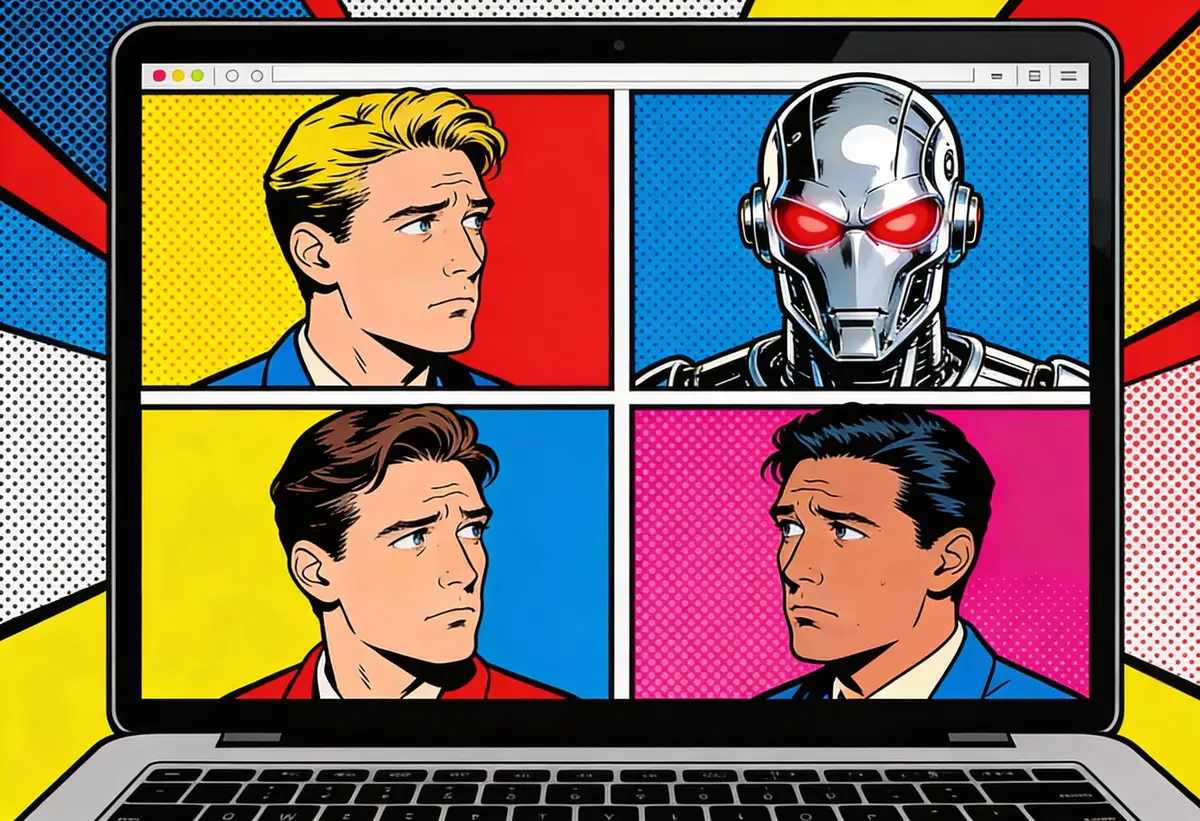
Here's something the marketing glosses over: most meeting transcription tools work by dropping a bot into your video calls. Otter calls theirs OtterPilot. Fireflies has Fred. These bots show up in the participant list, visible to everyone on the call. That creates friction nobody likes to talk about.
Behavior changes when people know they're being recorded. Sales prospects clam up when they see "Fireflies Notetaker" pop into the meeting. Interview subjects get cagey. Some people refuse to continue until the bot leaves. You're required to disclose recording in most jurisdictions anyway, and having a visible bot participant does that automatically. But "legally compliant" and "socially comfortable" aren't the same thing.
The bots themselves aren't always reliable. They sometimes fail to join scheduled calls. Or they join the wrong meeting. Or they drop mid-call. When OtterPilot doesn't show up, you find out after the meeting ends. No fallback, no backup, just a gap in your records.
Granola took a different approach. Their app captures audio straight from your device, the same sound your speakers play. No bot joins the call. Nobody sees a recorder. This solves the social awkwardness but creates a different problem: you're capturing voices without any visible indication that recording is happening. In California and most of Europe, that's legally fraught. Two-party consent laws require everyone's agreement. A bot announces itself. Device-level capture doesn't. You'd better mention it verbally, or you're gambling with compliance.
Who gets value from "AI meeting notes"
Every tool in this space now trumpets AI-powered summaries. Action items! Key decisions! Follow-up suggestions! These features work best when meetings follow predictable templates. Sales discovery calls. Sprint standups. Quarterly reviews. The AI recognizes patterns and extracts accordingly.
Throw it a messy, freeform conversation and the results get vague. I've seen summaries from brainstorming sessions that said things like "Team discussed project timeline and identified several concerns." Thanks for nothing. Negotiations fare even worse, since so much meaning lives in tone and implication rather than explicit statements. Technical discussions where getting a variable name exactly right matters? These systems can't distinguish between what they got right and what they botched.
The tools that go deepest on conversation intelligence, Gong being the obvious example at $100+ per head monthly, target a specific buyer: sales organizations running high volumes of structured calls. For that audience, analytics on talk ratios, competitor mentions, objection patterns, and deal signals add real value. For a product manager doing user research, most of those features are expensive noise.
Integrations tell a similar story. Fireflies has built connections to Salesforce, HubSpot, Slack, Notion, and a whole sprawl of other apps I won't bother listing. If your team already lives in those systems, if deals are tracked in Salesforce and everyone communicates through Slack, then automatic logging can genuinely save hours per week. But consider a freelance journalist who just needs clean transcripts of interview recordings. CRM sync means nothing to her. She'd be writing checks for capabilities that never leave the box.
Worth noting: The more integrations a tool offers, the more complicated it tends to be. Fireflies and Gong pack in features but demand real setup time. Simpler options like Granola or running Whisper yourself mean doing more manual work to get data where it needs to go. Pick based on where your actual bottleneck is.

What Whisper actually changed
OpenAI giving away Whisper meant that anyone with a decent graphics card could suddenly run state-of-the-art speech recognition on their own machine. Accuracy that holds up against the paid services. More than a hundred languages, with the option to translate non-English audio into English as it transcribes. No data leaving your laptop. No monthly fees.
There's a catch, of course. Whisper is a model, not an application. If you want to use it directly, you need to be comfortable with Python scripts and command-line interfaces and downloading model weights. That's not happening for most professionals. Apps like SuperWhisper (about $8.50 a month) and MacWhisper have wrapped the model in something friendlier, but even those are built for one person dictating, not for teams trying to capture meetings. You get your voice converted to text, and that's about it. No speaker labels. No AI-generated summaries. No shared workspace. Just words on a page.
Certain use cases fit that constraint perfectly well. A physician who needs to dictate chart notes without sending patient audio to some third-party cloud, that's a HIPAA concern solved. An attorney transcribing a privileged conversation who doesn't want to trust anyone's privacy policy. A journalist with sources who could get in serious trouble if recordings leaked. For them, the limits aren't limits. They're the point.
The hardware demands are real though. Whisper's largest model, the one with the best accuracy, wants a GPU with serious memory. Running it on pure CPU means waiting five or six times as long as the audio itself. The smaller, faster models give you quicker results but more errors. SuperWhisper works around this by offering cloud processing for the heavy-duty transcription, but then you're back to sending audio over the internet, which defeats the whole privacy argument.
Enterprises with engineering resources have a third option. Build a transcription pipeline on your own servers. Run Whisper for the speech-to-text piece, add a separate model to identify speakers, pipe everything into an LLM for summaries if you want them. It takes real work to set up. But you get commercial-grade accuracy, complete data control, and no per-seat licensing fees eating into the budget forever.
Top 10 AI Voice & Dictation Tools: The Hitlist
1. OpenAI Whisper (via SuperWhisper, MacWhisper)
Best for: Privacy-conscious professionals, multilingual users, budget-minded power users
✓ Pros
- State-of-the-art accuracy, rivals or beats paid services
- 100+ languages with translation to English built in
- Completely free when run locally, ~$0.006/min via API
- No data ever leaves your device (local mode)
- Open-source with active community improvements
✗ Cons
- Requires technical setup for raw use (Python, command line)
- No speaker identification out of the box
- Needs decent GPU for fast processing; CPU-only is slow
- Wrapper apps like SuperWhisper ($8.49/mo) add cost
- No team collaboration or AI summary features
2. Otter.ai
Best for: Teams wanting live meeting transcription with collaboration features
✓ Pros
- Real-time transcription during Zoom, Teams, Meet calls
- AI chat lets you query across all past meetings
- Collaborative note-taking, multiple users can edit live
- Solid mobile apps for iOS and Android
- Generous free tier: 300 minutes/month
✗ Cons
- Only 5 languages supported
- Speaker ID often mislabels, requires manual correction
- OtterPilot bot sometimes fails to join meetings
- ~85% accuracy means significant cleanup needed
- Advanced features locked behind $17-30/month plans
3. Fireflies.ai
Best for: Sales teams and anyone needing deep CRM/workflow integrations
✓ Pros
- 100+ languages, broadest language support in category
- Full audio recordings saved for playback verification
- Extensive integrations: Salesforce, HubSpot, Slack, Notion
- Good speaker diarization accuracy
- Generous free tier: unlimited meetings, 800 min storage
✗ Cons
- Bot presence can feel intrusive to participants
- Free tier caps AI features at 20 credits
- Can feel overwhelming, lots of features to configure
- Audio quality dependent on internet connection
- Business features require $18-29/month per seat
4. Granola.ai
Best for: Individuals who want transcription without visible recording bots
✓ Pros
- No bot joins your calls, captures audio from device
- Clean AI-enhanced summaries and note organization
- Works across any meeting platform or phone calls
- Privacy-focused: no audio recordings stored
- Simple, distraction-free interface
✗ Cons
- No audio playback means errors are unverifiable
- Speaker identification is basic and can't be corrected
- Primarily English only, other languages in beta
- Free tier limited to 14-day history
- Requires Google account for sign-up
5. Descript
Best for: Podcasters, video creators, content editors
✓ Pros
- Edit audio/video by editing text, revolutionary workflow
- AI voice cloning (Overdub) for corrections
- Automatic filler word removal ("um," "uh")
- Uses Whisper for strong multilingual accuracy (20+ languages)
- Collaboration features with version history
✗ Cons
- Overkill if you just need transcripts
- Requires desktop app, no mobile editing
- Free tier very limited (~1 hour/month)
- Heavy resource usage, needs decent computer
- Not designed for live meeting transcription
6. tl;dv
Best for: Budget-conscious teams wanting meeting recordings with summaries
✓ Pros
- Best free tier in category: unlimited recordings
- 30+ language support
- Video recording plus transcription
- Easy clip creation for sharing highlights
- Good for user research and product teams
✗ Cons
- Advanced analytics require paid plans ($20-25/user/mo)
- Bot visibility same as Otter/Fireflies
- Web-only, no dedicated mobile app
- Less mature than established competitors
- Integration depth behind Fireflies
7. Trint
Best for: Journalists, newsrooms, professional media production
✓ Pros
- Excellent browser-based transcript editor
- 40+ languages, translation to 50+
- Audio-synced editing: click word to hear it
- Strong collaboration and export options
- Industry standard in journalism
✗ Cons
- Expensive: starts at ~$60/month
- No free tier, only trials
- Not for live meeting transcription
- Upload-based workflow, no real-time capture
- Per-file limits on lower tiers
8. Nuance Dragon
Best for: Legal, medical, accessibility users needing voice commands
✓ Pros
- Voice commands for formatting and computer control
- Learns custom vocabulary specific to your field
- Fully offline, no data leaves your machine
- Accuracy improves with training to your voice
- Unmatched for hands-free document creation
✗ Cons
- Expensive: $500-700 upfront license
- Windows only (Mac version discontinued)
- Requires voice training and setup time
- No meeting transcription or multi-speaker support
- Feels dated compared to modern AI tools
9. Krisp
Best for: Users prioritizing audio quality alongside transcription
✓ Pros
- Best-in-class noise cancellation technology
- Real-time transcription plus meeting recording
- On-device processing options for privacy
- Accent neutralization for non-native speakers
- Integrates at system level, works with any app
✗ Cons
- Primarily English only
- Free plan has limited transcription minutes
- Less developed note-taking features than competitors
- Desktop only, no mobile apps
- Smaller user base, less proven at scale
10. Gong
Best for: Enterprise sales organizations wanting conversation intelligence
✓ Pros
- Deep analytics: talk ratios, sentiment, competitor mentions
- Coaching insights and deal intelligence
- Highly accurate speaker identification
- Native CRM integrations
- Industry leader in sales enablement
✗ Cons
- Very expensive: $100+/user/month
- Enterprise sales process, no self-serve
- Overkill for non-sales use cases
- Primarily English focused
- No free tier or trial without sales contact
Quick Selection Guide
| If you need... | Choose... |
|---|---|
| Best accuracy + privacy | Whisper (local) |
| Team meeting notes | Otter.ai |
| CRM integration | Fireflies.ai |
| No visible bot | Granola.ai |
| Podcast/video editing | Descript |
| Free unlimited recordings | tl;dv |
| Professional journalism | Trint |
| Voice commands + offline | Dragon |
| Noise cancellation | Krisp |
| Sales intelligence | Gong |
Dragon's long goodbye
Nuance Dragon still shows up on a lot of "best dictation software" lists, mostly through sheer institutional momentum. The product carved out a niche decades ago in legal, medical, and accessibility contexts. It stays there because switching costs are high and the workflows are deeply embedded.
What Dragon does well: continuous dictation tuned to a single trained user. Voice commands that actually work, things like "new paragraph" and "capitalize that" and "select previous sentence." Custom vocabulary that learns your weird technical terms and client names. Attorneys grinding out briefs or radiologists dictating findings get genuine benefit from that combination of accuracy plus formatting control. Cloud tools can't touch it for that particular workflow.
But Dragon hasn't kept up with the rest of the market. Nuance killed the Mac version years ago. The Windows software runs $500 to $700 upfront, with paid upgrades every few years when a new version ships. Meanwhile Whisper showed up and matched Dragon's accuracy on most benchmarks, for free. Microsoft bought Nuance in 2022, but the company's attention went toward Dragon Ambient eXperience, their clinical documentation play, not the general-purpose product gathering dust in law offices.
Anyone looking at Dragon today is really asking one question: do voice commands and guaranteed offline operation justify the price and the setup hassle? People who genuinely need hands-free computer control, whether for accessibility reasons or because their job involves keeping hands sterile, don't have great alternatives. Dragon still works for them. But everyone else should probably shop around. Cheaper tools have closed most of the gap.
When you're making content, not notes
Trint and Descript serve a different crowd: people making media from audio and video. Reporters. Podcast hosts. The folks cutting together documentaries. Transcription for them isn't about capturing meetings. It's about feeding an editing workflow.
Trint's value lives in its browser-based editor. Upload a recording, get a transcript, then work in an interface that ties the audio to the text. Click any word to hear that moment. Fix mistakes while you listen. Export to Word or subtitle formats. For someone transcribing interviews regularly, this beats wrestling with a media player in one window and a text editor in another. Trint handles 40-plus languages and can translate transcripts into 50 more, which matters for international newsrooms.
Pricing reflects the specialized positioning. Trint's cheapest plan runs around $60/month for limited files. Heavier use pushes toward $100/month or custom enterprise deals. There's no real free tier, just trials. If you're transcribing one or two interviews a month, that's steep. If you're a documentary team processing hundreds of hours of footage, the time saved on editing justifies it.
Descript went further and built a full audio/video editor with transcription at its core. The hook: edit media by editing text. Delete words from the transcript and Descript cuts them from the audio. Rearrange paragraphs and the audio resequences. For podcasters who spend hours trimming dead air and verbal tics, this borders on sorcery.
The AI voice cloning feature ("Overdub") lets you generate synthetic speech in your own voice. Misspoke a number? Type the correct one and Descript synthesizes it. Obvious risks around authenticity, which Descript addresses through verification hoops, but it solves real production headaches.
Both tools use Whisper under the hood now, which explains why their accuracy holds up across languages. Neither does live meeting transcription. They're post-production tools, not team collaboration platforms.
What the compliance boxes actually mean
Every SaaS vendor waves around compliance certifications. GDPR-ready! SOC 2 Type II! HIPAA BAAs available! These certifications describe the vendor's internal security practices. They don't tell you whether using the tool keeps your organization compliant. That depends on how you use it.
The gnarlier questions involve consent. In two-party consent jurisdictions, everyone on a call has to agree to recording. A bot visibly joining the meeting provides notice, though whether that constitutes informed consent is contested. Audio captured silently from your device provides no notice whatsoever. You need to say something out loud.
Data residency gets complicated for multinationals. Otter, Fireflies, and most U.S.-based services default to storing data on American servers. European companies with strict sovereignty requirements have to negotiate EU hosting, if it's even available, or commit to tools that process everything locally.
The "we won't train on your data" option varies by vendor and tier. Granola's Enterprise plan lets you opt out of anonymized training use. Fireflies offers similar controls on Enterprise. Lower tiers typically allow anonymized data use for model improvement, buried somewhere in the terms. Read the fine print if your organization handles sensitive material.
Local processing sidesteps most of this. Whisper on your own hardware sends nothing anywhere. Dragon keeps everything on-device. But you give up cloud sync, you give up those AI summaries, and you lose the ability to search across months of past transcripts. Whether that trade is worth it depends on what you're protecting.
Who should care about what
Sales organizations running lots of calls should look hard at Gong, Chorus, or Fireflies based on CRM fit and analytics needs. The value isn't in transcription itself. It's in deal intelligence, coaching data, pipeline visibility. Gong's triple-digit per-seat pricing makes sense for high-velocity teams where those insights translate to closed revenue.
Knowledge workers in consulting, research, and professional services need to match tool choice to what they actually do with transcripts. Just want reference notes you'll glance at occasionally? Granola's simplicity wins. Need transcripts that feed into client deliverables and have to be accurate? Otter or Fireflies with audio playback lets you verify. Using transcripts for billing records or anything with legal weight? Think carefully about whether AI-generated text meets your evidentiary bar.
Content producers should skip the meeting tools entirely. Trint and Descript are built for post-production workflows. Features like live transcription and bot integration, core to meeting tools, are irrelevant when you're editing recorded interviews after the fact.
Privacy-sensitive organizations in healthcare, legal, government, and finance should weight offline options more heavily than feature lists suggest. Dragon's upfront cost and Windows-only constraint might still beat cloud services that create data liability you don't want. Whisper on internal infrastructure offers a middle ground, though with real engineering overhead.
Budget-constrained users have workable free options. tl;dv gives you unlimited free recordings with basic AI summaries. Fireflies' free tier captures unlimited meetings (with storage limits). Otter's 300 free minutes monthly covers light use. Whisper costs nothing if you can wrangle the technical setup. The catch across all of these: the features that make transcription genuinely useful, searchable archives and export options and integrations, tend to live behind paywalls.
Signals worth tracking
Whisper keeps getting better. OpenAI released v3 in late 2023 with notable accuracy gains. Each improvement raises the bar for what commercial services need to deliver to justify their pricing.
Microsoft has plans for Nuance. The Copilot strategy includes meeting transcription and summarization baked into Teams. If Microsoft bundles Whisper-grade accuracy into Office 365 at no extra charge, standalone tools will feel margin pressure.
Real-time translation is coming. Several labs have demonstrated near-live translation of spoken audio. Whisper already translates to English during transcription. The next iteration, where participants speak different languages and each sees translated captions, would reshape international collaboration.
Regulators are paying attention. The EU AI Act includes provisions around transparency and consent that may force changes to how bots join calls and how vendors handle training data. California privacy law continues expanding. Tools operating in gray areas today may face explicit rules tomorrow.
Consolidation looks inevitable. Microsoft and Google offer native transcription in their collaboration suites. Point solutions have to prove they're worth paying extra for. I'd expect a wave of acquisitions and quiet shutdowns over the next couple years.
What to remember
- Accuracy stats are mostly marketing. Real performance swings wildly depending on audio quality, how many people are talking, and whether anyone has an accent. Plan on editing regardless of which tool you pick.
- A visible bot is legal cover. Recording disclosure protects you. Tools that hide the fact that they're recording trade social comfort for compliance headaches.
- Whisper reset the economics. When you can get state-of-the-art transcription for six-tenths of a cent per minute, vendors have to compete on what happens after the words hit the page.
- Nobody has solved speaker identification. Figuring out who said what in a group recording remains unreliable across every tool. If attribution matters, check it by hand.
- Read the limits on "unlimited." Storage caps. AI credit budgets. Feature paywalls. Free and cheap tiers come with constraints that shape what you can actually do.
- Different jobs need different tools. Meeting capture, personal dictation, and content editing want different things. A tool built for one will frustrate you in the others.
- Privacy costs something. Keeping everything local means giving up sync, collaboration, and AI features that need server horsepower. Decide what you're willing to trade.
Sources & Further Reading
Primary Sources
- Introducing Whisper — OpenAI technical announcement, September 2022
- Otter.ai Supported Languages — Official documentation on language capabilities
- Fireflies.ai Pricing & Plans — Current tier structure and feature breakdown
- Granola.ai — Product overview and privacy approach
Research & Analysis
- Granola AI Review & Alternatives — Krisp.ai, 2025 comparative analysis
- The 2025 Otter.ai Review — Sonix detailed assessment
- Dragon Professional Review — TechRadar on pricing and capabilities
- tl;dv vs Granola.ai Comparison — Feature-by-feature analysis
- Fireflies AI Pricing Analysis — MeetGeek breakdown of tier economics
Further Reading
- SuperWhisper — Whisper-based dictation app for macOS and iOS
- Descript Transcription — Overview of text-based audio/video editing
- Trint Features & Pricing — GetApp comparative review
- Granola Transcription Documentation — Technical details on device-based capture
Free AI briefing · Weekdays
The AI stories that matter, sourced and explained.
Join the Morning Briefing. It goes out every weekday at 4:45 a.m. Pacific, with later sends for the East Coast, Berlin and Tokyo.
Free when you sign up: The Paperclip Compendium, our tested guide to running AI agents.
Free. Unsubscribe in one click.

Marcus Schuler
Editor-in-Chief and founder of Implicator.ai. Former ARD correspondent and senior broadcast journalist with 10+ years covering tech. Writes daily briefings on policy and market developments. Based in San Francisco. E-mail: editor@implicator.ai