 IMPLICATOR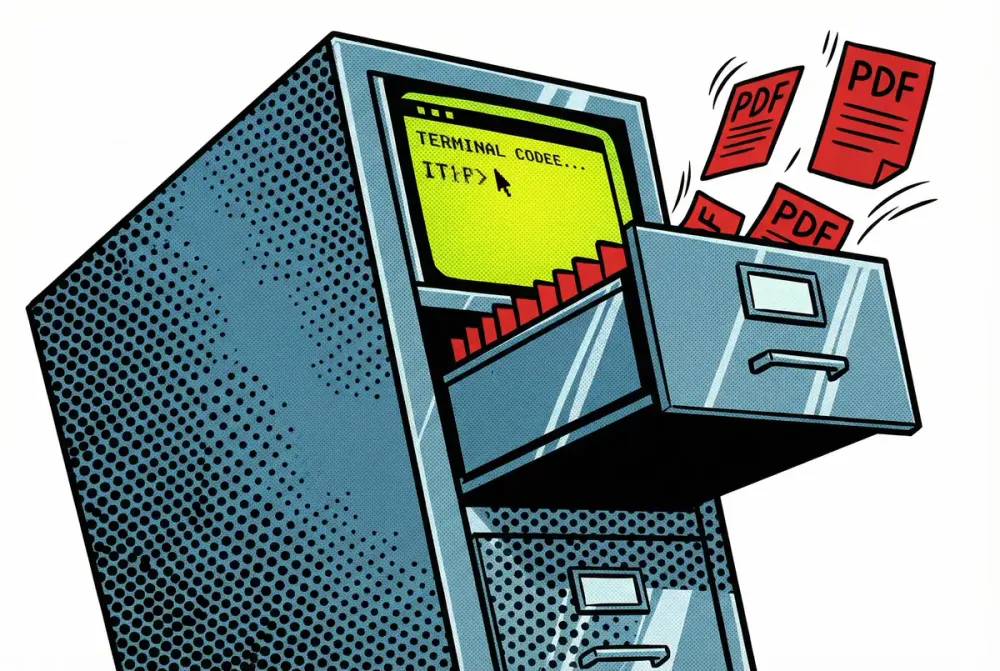
A scanner sits on the desk. Paper goes in. A PDF comes out the other side, lands in a Dropbox folder with a name like ScanSnap_20260114_093247.pdf, and joins 230 others just like it. Insurance policies next to grocery receipts. German-language bank statements beside English tax forms. The promise of going paperless, fulfilled in the narrowest possible sense: the paper is gone, but the chaos remains.
This long-form analysis is normally reserved for paid subscribers. If you enjoy these and other deep dive articles, consider becoming a paid subscriber. You'll get articles like this every Tuesday, plus early access to all our coverage.
This is the filing problem that refuses to die. Not because the technology doesn't exist to solve it, but because every solution so far has demanded the same tedious sorting work it promised to eliminate. Dedicated document management tools cost hundreds per year and require learning yet another interface. macOS tags rot unused. Folder structures grow until they collapse under their own specificity.
Then, in January 2026, something odd happened. A coding tool, one originally built for software engineers to debug Python scripts and refactor TypeScript modules, started finding a second audience. Knowledge workers were pointing Anthropic's Claude Code at folders full of unsorted PDFs and telling it, in plain English, to make sense of the mess. And it was working.
The tool behind this unlikely second career hit $1.1 billion in annualized recurring revenue by the end of 2025, making up roughly 12 percent of Anthropic's total $9 billion run rate. Its head of product now writes 100 percent of his code using it. Anthropic's own sales team, half of them, uses it weekly for non-coding tasks. The company noticed this shadow usage and, on January 13, 2026, released Cowork, a graphical interface wrapping the same agentic engine for people who never want to see a terminal.
But here's what most coverage misses: you don't need Cowork. You don't need the $100-a-month Max subscription. Claude Code itself, running in a basic terminal window, handles file organization with more power and flexibility than the polished GUI version. And unlike Cowork, which remains a macOS-only research preview, Claude Code runs on macOS, Linux, and Windows via WSL.
This guide shows you how to set it up, what to type, and what to never, ever point it at.
The Breakdown
• Claude Code reached $1.1B ARR by end of 2025, growing $100M+ past the $1B milestone announced in November, now 12% of Anthropic's $9B total revenue
• Cowork, the GUI wrapper launched January 13, 2026, was built in 10 days using Claude Code itself, available only to $100-200/month Max subscribers on macOS
• A data exfiltration vulnerability reported in October 2025 shipped unpatched with Cowork's launch, allowing invisible prompts in Word documents to steal files via Anthropic's own allowlisted API
• Claude Code's Opus 4.5 model, released September 2025, triggered what developers describe as a "step-function improvement" in autonomous task completion, coding or otherwise
Why a coding tool learned to sort your mail
Claude Code launched in late 2024 as a terminal-based agent for software engineers. The pitch was straightforward: describe what you want built, and the agent writes the code, runs the tests, commits the changes. Early versions stumbled. They'd get stuck in loops, burn through API credits generating garbage, and occasionally delete files they shouldn't have touched.
Anthropic built it for where capabilities were heading, not where they were at launch. That bet landed in September 2025 with Opus 4.5, the company's most capable model. Developers who had been skeptical started reporting that something felt different. The tool could now reason through multi-step problems without losing the thread. It held context across hour-long sessions. When it made mistakes, it caught them and corrected course on its own.
Stanford's AI lecturers noticed. Enterprise engineering teams switched over from competitors like Cursor and Windsurf. And then the non-coding users showed up.
People started using Claude Code for vacation research. Building slide decks. Cleaning up email inboxes. Canceling subscriptions. Recovering wedding photos from corrupted hard drives. Monitoring plant growth, improbably. Controlling smart ovens, inexplicably. The underlying agent didn't care whether the task involved JavaScript or JPEG files. It read the file system, made a plan, executed steps, and checked its work.
Anthropic's internal usage data told the same story: the filing cabinet had become Claude Code's second-most-popular workplace, right behind the code editor.
Getting started: installation in under two minutes
Claude Code installs through a single terminal command. No package managers to configure, no dependencies to chase.
macOS and Linux:
curl -fsSL https://claude.ai/install.sh | bash
Windows (PowerShell):
irm https://claude.ai/install.ps1 | iex
If you have an older installation via npm, migrate by running claude install from your existing setup. Configuration files survive the transition.
After installation, authenticate by running claude in any terminal window. You'll complete a one-time OAuth flow with either a Claude Max subscription ($100/month for the plan that includes Cowork access, $20/month for Pro which works with Claude Code) or an Anthropic Console API key (pay-per-use, which can get expensive with heavy file-processing tasks).
Run claude doctor if anything feels wrong. It auto-detects configuration issues and suggests fixes.
That's it. No IDE plugins, no Docker containers, no virtual environments. Just a terminal and an internet connection.
Key Context: Claude Code requires an active internet connection, even for local files. Every document you process gets sent to Anthropic's servers for analysis. That means your scanned tax return travels to a data center before it gets renamed. Keep this in mind when choosing which folders to expose.
Setting up a CLAUDE.md for file organization
Claude Code reads a file called CLAUDE.md at the start of every session. Think of it as standing instructions, the briefing memo you'd hand a new assistant on their first day. Without one, you'll repeat the same preferences in every conversation. With one, the agent remembers how you like things done.
Create the file in the root of whatever folder you want Claude to work in. Here's a starter configuration specifically for document organization:
# Document Organization Rules

## Naming Convention
All files should be renamed to: YYYY-MM-DD_CompanyName_ContentDescription_DocumentType.pdf
- Date: extracted from document content, not file creation date
- CompanyName: the issuing organization
- ContentDescription: 2-4 words describing the content
- DocumentType: invoice, contract, letter, statement, receipt, form

## Folder Structure
Organize by year, then by category:
/2024/financial/
/2024/insurance/
/2024/medical/
/2024/correspondence/
/2024/tax/
/2025/financial/
(same categories per year)

## Processing Rules
1. Convert all image files (JPEG, PNG, HEIC) to PDF before organizing
2. Merge multi-page scan sets (files with sequential numbers) into single PDFs
3. Run OCR on any PDF that has no extractable text
4. Read document content to determine correct date and category
5. Handle both German and English documents
6. Never delete original files, copy them to the organized structure
7. Create a processing_log.txt after each run listing all changes made

## Tools
- Use ImageMagick for image-to-PDF conversion (install if needed)
- Use ocrmypdf for OCR processing (install if needed)
- Use pdftk or pdfunite for merging multi-page scans
Save this as CLAUDE.md in your scanner inbox folder or whatever directory holds your unsorted documents. The next time you run Claude Code in that directory, it loads these instructions automatically.
You can also generate a starter file by running /init inside Claude Code, but for file organization the handwritten version above gives you more control.
Five copy-and-paste workflows
Navigate to your documents folder in the terminal, then run claude. Once inside the Claude Code session, paste any of these prompts.
1. The full scanner inbox cleanup
This is the all-in-one command for a folder of raw scans:
Review all files in this folder. First, convert any JPEG/PNG/HEIC images to PDF.
Then merge any multi-page scan sets (files with sequential numbering like
scan001.pdf, scan002.pdf) into single documents. Run OCR on any PDFs that
don't have extractable text. Finally, read each document's content to determine
its date, source organization, and category, then rename and sort into the
folder structure defined in CLAUDE.md.

Before making any changes, show me a summary of what you found and your
proposed organization plan. Wait for my approval before proceeding.
The "wait for my approval" instruction matters. Without it, Claude may start moving files immediately.
2. Bulk rename with date extraction
For when files are already PDFs but have garbage names like Document_38291.pdf:
Read the content of every PDF in this folder. For each file, extract:
- The document date (look for dates in headers, footers, or body text)
- The issuing company or organization name
- A brief content description (2-4 words)

Then rename each file using the format: YYYY-MM-DD_Company_Description.pdf

Show me the proposed rename list first. Don't rename anything until I confirm.
3. Receipt-to-spreadsheet extraction
Turn a folder of receipt photos into structured data:
Look at all image files and PDFs in the ./receipts folder. For each receipt,
extract: date, vendor name, total amount, currency, and payment method
if visible. Create a CSV file called expenses_2025.csv with columns:
Date, Vendor, Amount, Currency, PaymentMethod, OriginalFilename.
Sort by date ascending.
4. The inbox zero file sort
For a cluttered Downloads or Desktop folder:
Analyze all files in this folder. Categorize each file by type and likely
purpose: documents, images, installers, archives, code, media, spreadsheets,
presentations, misc. Create subfolders for each category that has 3 or more
files. Move files into their categories. For any file older than 90 days
that appears to be a temporary download (installers, .dmg files, zip archives
with generic names), move to a ./archive_review/ folder instead of deleting.

List everything you plan to move before doing it.
5. Building a reusable skill
After you've refined your organization preferences through a few sessions, lock them in:
Based on our conversation today, create an updated CLAUDE.md file that captures:
1. The folder structure we settled on
2. The naming convention that worked best
3. Any OCR or conversion tools you installed
4. The processing order (convert, merge, OCR, read, rename, sort)
5. My preferences for handling ambiguous documents

Save it as CLAUDE.md in this directory so future sessions follow the same rules.
This persistence is the real power. Each run teaches the system. Next time, you just scan your papers, drop them in the folder, open a terminal, type claude, and say "process new scans." It already knows what to do.
What Claude Code actually does under the hood
You paste a prompt, hit enter, and watch your terminal fill with commands you didn't write. That's the surface experience. Underneath, Claude Code executes a sequence of real terminal commands, pip-installing packages if needed, writing Python scripts on the fly, running them, checking the output, and iterating if something fails.
A typical file-organization session might generate commands like:
# Install OCR tool
brew install ocrmypdf

# Convert images to PDF
convert scan_photo_001.jpg scan_photo_001.pdf

# Merge multi-page scans
pdfunite page1.pdf page2.pdf page3.pdf merged_document.pdf

# Run OCR on scanned PDFs
ocrmypdf --language deu+eng input.pdf output.pdf

# Extract text for analysis
pdftotext document.pdf - | head -50
You'll see each command in your terminal before execution. Claude Code asks for permission on anything potentially destructive, though the definition of "destructive" deserves scrutiny, more on that below.
The agent also creates sub-agents for parallel processing. If you have 200 files to analyze, it might spin up multiple analysis tasks simultaneously rather than reading each document sequentially. A shell script runs commands in order and dies at the first error. Claude Code plans, delegates, checks results, and reroutes when something breaks.
Cowork: the same engine, friendlier packaging
Anthropic launched Cowork on January 13, 2026, for users who don't want to touch a terminal. The pitch: click "Cowork" in the Claude macOS app sidebar, select a folder, describe what you want, and the same agentic engine handles the rest.
The interface adds guardrails that Claude Code lacks. Cowork asks clarifying questions before acting, presents plans with checkboxes, and shows progress bars for multi-step tasks. It runs everything inside a virtual machine, meaning it can only see the specific folder you granted access to.
But Cowork carries limitations. It's macOS-only. It requires the $100/month Max subscription (Claude Code works on the $20/month Pro plan via API). It's still labeled "research preview." And it's slower, the GUI abstraction adds overhead that power users will notice.
For file organization specifically, the terminal version gives you more control. You see every command before it runs. You can kill it mid-stream if something looks wrong. Want to filter the results through grep afterward? Done. Running a headless NAS in your basement closet? SSH in and point Claude Code at those folders directly, no GUI required.
The split is simple. Cowork is for the person who cleans out their Downloads folder on a rainy Sunday. Claude Code is for the person with a ScanSnap running five days a week and 40 new PDFs hitting the inbox before lunch.
Cost comparison: Claude Code on a Pro plan ($20/month) plus API usage typically runs $30-60/month for moderate file-organization work. Cowork requires Max ($100-200/month) but includes unlimited usage within rate limits. For heavy daily processing, Max is cheaper. For occasional weekend cleanup sessions, Pro plus API wins.
The security problem nobody wants to talk about
Two days after Cowork launched, security researchers at PromptArmor published a proof-of-concept attack. The setup was simple: embed invisible instructions in a Word document using 1-point white-on-white text. When Claude processes that document during a file-organization task, it reads the hidden prompt and executes it. In the demo, it uploaded the user's largest file, containing financial data and partial Social Security numbers, to the attacker's Anthropic account.
The attack works because of how the sandbox is built. Claude Code and Cowork run inside a virtual machine that blocks outbound network connections to almost every domain. Almost. Anthropic's own API stays on the allowlist, because the tool obviously needs to phone home. The exploit rides that legitimate channel to push your files to an attacker's account. The lock on the front door, weaponized.
The timeline on this one is damning. October 25, 2025: security researcher Johann Rehberger files the vulnerability with Anthropic via HackerOne. The company closed his HackerOne ticket in under an hour. Their response: "out of scope." They classified it as a model safety issue, not a security bug, which kept it outside their bounty program. Three months later, Cowork launched with the flaw intact. Anthropic has since said a fix is coming.
The institutional logic here is worth naming. Anthropic felt emboldened by Claude Code's revenue growth and anxious about OpenAI and Google launching their own desktop agents. Speed won over thoroughness. Ten days from concept to launch. And the people downloading it? They're accountants and project managers, not the kind of users who spot a suspicious curl command scrolling past in an execution log.
So what do you actually do about this?
Keep your sensitive files out of reach. Tax returns, bank statements, anything with an SSN or account number belongs in a folder Claude never touches. Create a dedicated working directory, copy files into it, process them there. Think of it as a staging area: documents pass through on their way to being organized, but nothing irreplaceable lives there permanently.
After every run, scan the processing log for network commands you didn't request. If you're using Cowork's browser mode, lock it to specific sites. And never feed Claude documents from sources you don't trust. That email attachment from an unknown sender? It might look like a blank Word file. It might contain invisible instructions in 1-point white text.
Back up everything before your first run. Not optional. Prompt injection remains unsolved across the entire industry, and nobody credible claims otherwise. OpenAI has said so publicly. Anthropic's version of the same admission, "agent safety is still an active area of development," just has better PR polish. You know the trade-off now. Act accordingly.
Why this particular tool won
Claude Code didn't invent AI-powered file organization. DevonThink has offered smart classification for years. Hazel automates macOS file rules. Apple shipped smart folders with Tiger two decades ago. So why is a terminal-based coding agent eating their lunch?
The answer sits in how these tools handle the unexpected. Hazel requires you to define triggers and actions in advance. Smart folders need you to know what you're searching for. Claude Code reads the actual content of your documents, understands context, and makes judgment calls. A German insurance letter gets sorted correctly even if you never told the system what insurance letters look like.
And when something goes wrong, the difference sharpens. A document is ambiguous, Claude Code asks. OCR fails on a low-resolution scan, it tries a different tool. A multi-page scan has inconsistent page sizes, it adapts. Rule-based systems choke on edge cases. Agents work through them.
Then there's the compounding effect. Every CLAUDE.md refinement, every corrected sort decision, every installed tool becomes persistent context for future sessions. Traditional automation tools improve only when you manually update their rules. Claude Code's configuration evolves through conversation, which means your filing system gets smarter each time you use it without you writing a single rule.
If you've watched colleagues switch from Cursor or Windsurf to Claude Code over the past three months, you've seen the same pattern: a skeptical test on a Friday afternoon, a surprised Slack message by Monday, a full migration by end of week. The filing cabinet followed the same adoption curve. Someone tries it on their Downloads folder. It works. They try their scanner inbox. That works too. Now they're running it against three years of unsorted tax documents, and the old tools sit unused.
The competitive response has been predictable. Microsoft is pushing Copilot toward file-system access, but its approach starts from the OS level and works down, creating a sprawling permissions surface that makes IT departments nervous. Google's Gemini 2.5 added computer-use capabilities. Apple Intelligence remains focused on on-device processing, which limits its reasoning power but eliminates the privacy concerns.
None of them grew up in a terminal window. That lineage matters because your filing cabinet is, at its core, a systems problem: reading inputs, transforming data, writing outputs, handling errors. The tool that was built to think about code already knows how to think about files.
The bigger bet Anthropic is making
Your filing cabinet is a foot in the door. Zoom out from scanner inboxes and PDF folders, and what Anthropic built with Claude Code is a general-purpose local agent. File organization just happens to be the use case that proves it works to non-developers. The real product is an AI that lives on your machine and does whatever you describe.
In a glass-walled conference room on Market Street, Anthropic's finance team is watching the numbers that confirm this thesis. The company's run rate jumped from $4 billion in July 2025 to $9 billion by year's end. Coatue, GIC, and Iconiq are each writing billion-dollar checks for the latest round. The company is targeting $70 billion in revenue by 2028 and has committed $50 billion to U.S. data center construction.
Claude Code alone contributes $1.1 billion annually. If Cowork captures even a fraction of the people currently paying for Notion, Dropbox, and Adobe Acrobat, those numbers accelerate. And that's the platform risk these companies haven't fully priced in: why would you pay for a specialized filing tool when a general agent sorts your cabinet, writes your reports, and fills your spreadsheets through the same plain-language interface?
But here's where the filing cabinet metaphor turns back on Anthropic. Intelligence stopped being the bottleneck months ago. Trust is. You'll hand your junk drawer to an AI without thinking twice. Your tax returns, though, stay in the locked cabinet. Trust builds slowly through reliability, breaks catastrophically through incidents like the PromptArmor disclosure, and rebuilds even more slowly after.
Anthropic appears to understand this intellectually. Its launch blog post devoted more space to security warnings than to features, an unusual product-marketing choice. But the company's actions, shipping a known vulnerability to non-technical users, suggest the growth pressure outweighs the caution instinct. That tension will define the next twelve months.
What to watch
- The patch, or lack of one: Anthropic says they'll fix the Files API exfiltration vulnerability. Whether that fix is architectural or just a band-aid matters. If the flaw persists when Cowork exits research preview, it tells you where security sits in the priority stack. Target: Q1 2026.
- Windows: Cowork shipping on Windows would signal that Anthropic's security team has signed off on broader deployment. No date announced, and the silence is telling.
- Pricing walls: Claude Code works on the $20/month Pro plan today. If file-system access migrates behind the $100 Max paywall, that tells you Anthropic sees local agents as the premium play, not the funnel.
- Enterprise unlock: Cowork on Team and Enterprise plans means the security audits passed. Regulated industries, healthcare, finance, legal, won't touch this tool until that happens. Could be months.
- The other two: Microsoft's Copilot keeps hinting at file-management depth. Google's Gemini shipped computer-use. Neither works at folder-level yet. The quarter one of them does, Anthropic loses its pricing power.
Key Takeaways
- Terminal beats GUI: Claude Code in a terminal window offers more control, broader platform support, and lower cost than the Cowork GUI for file-organization tasks.
- CLAUDE.md is the multiplier: A well-crafted configuration file turns one-off organization sessions into repeatable, improving workflows that compound over time.
- Shadow usage drove the product: Anthropic built Cowork because users forced a coding tool into file-management duty, validating the general-agent thesis before the company planned for it.
- Security is genuinely unsolved: The PromptArmor exploit demonstrates that prompt injection in file-processing agents creates risks that non-technical users cannot detect or defend against independently.
- Isolation is your defense: Never process sensitive documents directly. Always copy to a dedicated working folder, process there, and review results before integrating into your permanent file structure.
- The economics favor adoption: At $30-60/month for moderate use via API, Claude Code costs less than most dedicated document management software while handling a wider range of tasks.
- Platform risk is real: Dedicated file-management tools (DevonThink, Hazel, Finder Smart Folders) face displacement not because they're worse at rules, but because agents don't need rules at all.
Sources & Further Reading
Primary Sources
- How Claude Code Is Reshaping Software, and Anthropic — WIRED, January 22, 2026
- Hands On With Anthropic's Claude Cowork — WIRED, January 15, 2026
- Anthropic launches Cowork — VentureBeat, January 12, 2026
Research & Analysis
- Security Flaw Resurfaces in Claude Cowork — WinBuzzer, January 17, 2026
- Anthropic launches Cowork, a Claude Code-like for general computing — Ars Technica, January 12, 2026
- From $4 billion to $9 billion: Anthropic's revenue doubles — LA Times/Bloomberg, January 23, 2026
Further Reading
- Claude Code Setup Documentation — Official installation and configuration guide
- The AI That Built Itself In 10 Days Now Wants Access To Your Desktop — Forbes, January 16, 2026
- Cowork for Claude can tap into a folder on your computer — CNET, January 2026
Free AI briefing · Weekdays
The AI stories that matter, sourced and explained.
Join the Morning Briefing. It goes out every weekday at 4:45 a.m. Pacific, with later sends for the East Coast, Berlin and Tokyo.
Free when you sign up: The Paperclip Compendium, our tested guide to running AI agents.
Free. Unsubscribe in one click.

Marcus Schuler
Editor-in-Chief and founder of Implicator.ai. Former ARD correspondent and senior broadcast journalist with 10+ years covering tech. Writes daily briefings on policy and market developments. Based in San Francisco. E-mail: editor@implicator.ai