IMPLICATOR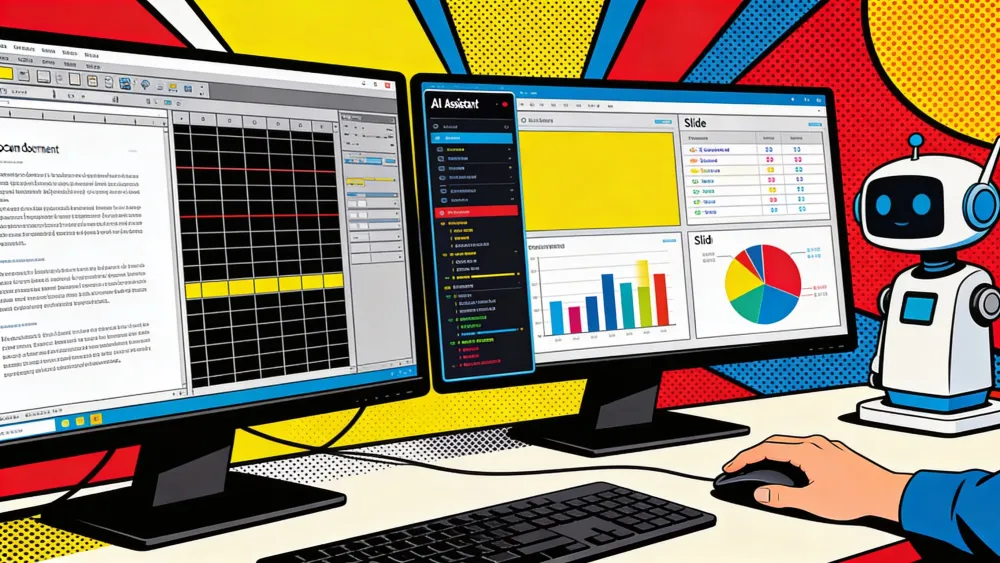
Microsoft said on April 22 that agentic Copilot is now the default experience in Word, Excel, and PowerPoint for Microsoft 365 Copilot and Premium subscribers, with the same editing flow also available to Personal and Family plans, according to its Microsoft 365 blog. Instead of sitting in a sidebar and suggesting the next step, Copilot can now rewrite sections in Word, change formulas and tables in Excel, and update decks in PowerPoint while showing each step for review, a rollout Microsoft had previewed in a March product post. The stakes are simple: Microsoft's own data says Excel tries per user per week rose 67 percent over the last month, versus 52 percent in Word and 11 percent in PowerPoint, which is its clearest public sign yet that Office users respond when the AI touches the file.
Key Takeaways
- Microsoft made agentic Copilot the default in Word, Excel, and PowerPoint for paid Microsoft 365 Copilot tiers and added it to Personal and Family plans.
- Excel showed the strongest early pull, with tries per user up 67 percent and satisfaction up 65 percent in Microsoft's launch data.
- Microsoft is selling reviewable, reversible edits because trust gets harder once AI starts changing live files.
- PowerPoint still exposes rollout seams, so the clean launch message hides a messier platform picture.
AI-generated summary, reviewed by an editor. More on our AI guidelines.
The spreadsheet tells the story
You can see where the launch feels strongest. Excel posted a 50 percent gain in new user retention and a 65 percent jump in thumbs-up satisfaction in Microsoft's table, far ahead of Word's 11 percent retention gain and 21 percent satisfaction increase. PowerPoint landed in the middle on retention at 36 percent, but its engagement lift stayed at 11 percent. That gap matters. Excel's engagement jump is just over six times PowerPoint's.
The reason is sitting right on the screen. Excel gives the model hard edges to grab. A formula here. A table there. A busted chart staring back at you. Ask Copilot to clean a workbook and you can judge the result fast. Either the numbers line up, or they do not. Either the chart lands, or it does not. Word is softer. PowerPoint is softer still. Microsoft is learning that the closer the work gets to structure, the easier it is to move Copilot from the passenger seat to the wheel.
Microsoft is selling control, not magic
Microsoft's March post spent almost as much time on reversibility as on speed. The company said changes are applied in the file, remain reviewable, and stay tied to Microsoft 365 permissions and sensitivity labels. It also leaned hard on model choice. Excel already had OpenAI and Anthropic options in Microsoft's March materials, and the April launch post says different models bring different value across the suite. That is not marketing garnish. It is a response to anxious admins and wary users who do not want an eager bot free-handing a budget sheet or a board deck.
Microsoft even publishes a support page for people signed in with a Microsoft account, explaining how to disable Copilot in Word, Excel, and PowerPoint on Windows and Mac through an "Enable Copilot" checkbox. Read that as product strategy, not housekeeping. Microsoft wants Copilot in the document, but it also knows the only way to keep a hand on the wheel is to show users where the off switch lives. The tone is slightly defensive because it has to be.
The rollout still has seams
The April 22 announcement sounds clean. One default experience. Three apps. Broader availability. The underlying platform map is less tidy. In the March preview, Microsoft said Excel editing was generally available on Windows, web, and Mac, and Word editing was also available across those platforms. PowerPoint was different: Microsoft described it as rolling out to the web first, with Windows and Mac coming later.
Track the next AI workflow shift in your inbox
Strategic AI news from San Francisco. No hype, no "AI will change everything" throat clearing. Just what moved, who won, and why it matters. Daily at 6am PST.
No spam. Unsubscribe anytime.
That detail matters because it shows how much of this launch is a packaging exercise as well as a product release. Microsoft is wrapping several app-specific timelines into one story about agentic Office. Fair enough. Companies do that. But if you live in PowerPoint, or if your org still works across mixed devices, the real experience can still feel uneven even while the headline says generally available.
There is another seam. That same support page says the disable controls do not exist yet in the web, iOS, or Android versions of Word, Excel, or PowerPoint. So the company is pitching human control as the selling point while offering that control first on desktop. That is not fatal. It is just unfinished.
The real test starts after the demo
For a year, Copilot inside Office often felt like a passenger with opinions. This update moves it closer to an operator. That is why the 67 percent Excel jump matters more than the phrase "agentic capabilities." It suggests people will tolerate the extra anxiety, the right-rail chatter, and the need to review edits if the assistant saves real minutes inside a worksheet or document.
Now comes the harder part. Default status creates exposure, not loyalty. If Word users keep seeing small gains while Excel users keep seeing big ones, Microsoft will learn where this product actually earns its keep. If PowerPoint catches up as the rollout spreads, Copilot starts looking like a feature of Office itself. If not, users will do what Microsoft already anticipates. They will clear the checkbox and put the human hand back on the mouse.
Frequently Asked Questions
What changed in Microsoft 365 Copilot on April 22, 2026?
Microsoft said agentic Copilot is now the default experience in Word, Excel, and PowerPoint for Microsoft 365 Copilot and Premium subscribers. The company also said the same capabilities are available to Personal and Family plans.
Why does Excel matter more than Word or PowerPoint in this launch?
Microsoft's own numbers show Excel with the biggest engagement, retention, and satisfaction lift. That fits the product logic: spreadsheets give AI clearer structure, faster feedback, and easier audit trails than prose or slide design.
Can users turn Copilot off in Office apps?
Microsoft's support documentation says users signed in with a Microsoft account can disable Copilot in Word, Excel, and PowerPoint on Windows and Mac through an Enable Copilot checkbox. That control is app by app.
Is the rollout identical across every platform?
No. Microsoft's March preview still described PowerPoint as rolling out to the web first, with Windows and Mac later. The public launch message is broader than the platform details underneath it.
What is the real business test for this update?
Microsoft now has to prove that default exposure becomes daily habit. If users keep seeing real time savings inside files, Copilot earns its place. If not, the novelty fades and the off switch becomes the feature.
AI-generated summary, reviewed by an editor. More on our AI guidelines.



Free AI briefing · Weekdays
The AI stories that matter, sourced and explained.
Join the Morning Briefing. It goes out every weekday at 4:45 a.m. Pacific, with later sends for the East Coast, Berlin and Tokyo.
Free when you sign up: The Paperclip Compendium, our tested guide to running AI agents.
Free. Unsubscribe in one click.

Marcus Schuler
Editor-in-Chief and founder of Implicator.ai. Former ARD correspondent and senior broadcast journalist with 10+ years covering tech. Writes daily briefings on policy and market developments. Based in San Francisco. E-mail: editor@implicator.ai