IMPLICATOR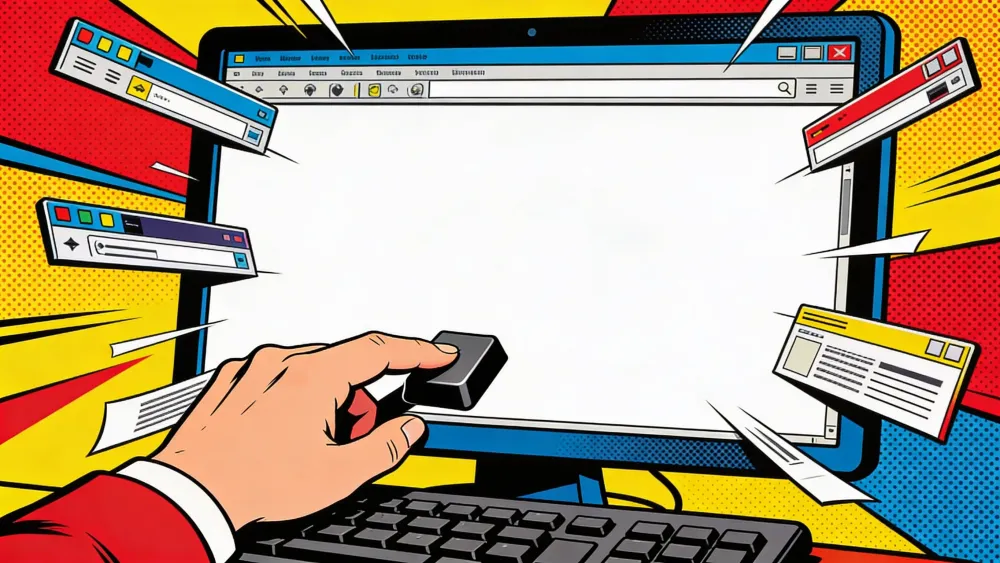
Vivaldi released version 7.9 of its desktop browser on Wednesday, introducing a feature called UI Auto-hide that strips the entire browser interface from view while users read, watch, or work. The update also adds Follower Tab, a split-view browsing mode that keeps a source page anchored while links open beside it, and a set of improvements to the browser's built-in email client.
"UI Auto-hide lets me immerse myself in content in ways the Metaverse could only dream of," Haakon Rølmann, Vivaldi's head of marketing and communication, said in a press release. "Like most of the features we have launched, we are sure this will see knockoffs."
What Changed
- Vivaldi 7.9's UI Auto-hide strips all browser chrome with one shortcut (Ctrl+F11 / ⌘+F10), configurable per element.
- Follower Tab opens links in a tiled side panel, keeping the original page anchored as a reading home base.
- Vivaldi Mail's composer now opens in its own window with a rich/plain text toggle and lower memory usage.
- The release contains zero AI features, positioning Vivaldi against Chrome, Edge, and Dia's AI-first strategies.
What Auto-hide actually does
Every desktop browser piles stuff between you and the content. Tabs across the top. Address bar underneath. Bookmarks, status line, maybe a sidebar panel eating your left margin. All useful, all taking up space. One shortcut in Vivaldi 7.9 fixes that, Ctrl+F11 or ⌘+F10 on a Mac, and every last pixel of browser chrome disappears. Want something back? Shove the cursor toward any edge and the toolbars reappear. Pull away and the page takes over again.
The implementation goes deeper than a glorified fullscreen mode. Users can pick which elements disappear and which stay visible. Want to keep the address bar but ditch everything else? That works. Prefer to auto-hide only the tab bar while reading? Also works. A new "Always use Auto-hide in Fullscreen" setting extends the feature into actual fullscreen mode, where browsers typically hide their chrome but also hide any way to get it back without pressing Escape.
Vivaldi tested the feature in snapshot builds since November 2025, starting with just the tab bar. Four months of bug reports, edge-case fixes, and refinements followed. High-refresh-rate displays caused inconsistent cursor detection near screen edges. Panel overlaps on multi-monitor setups needed sorting out. Months of snapshot changelogs show how much complexity hides behind "make the browser disappear."
Follower Tab solves the rabbit hole problem
Follower Tab attacks a different kind of screen real estate issue. Right-click any link, choose "Open Link as Tiled Follower Tab," and the linked page opens in a split view beside the current one. Subsequent clicks in the original tab keep loading into the follower pane. The source page never moves.
Stay ahead of the curve
Strategic AI news from San Francisco. No hype, no "AI will change everything" throat clearing. Just what moved, who won, and why it matters. Daily at 6am PST.
No spam. Unsubscribe anytime.
"You should be able to follow your curiosity without ever losing your thread," CEO Jon von Tetzchner said.
The practical applications stack up fast. Working through a long article with a table of contents, you open each section in the follower pane without scrolling away from the index. Comparing products on a list page, each click previews the next item while the list stays put. Research spirals that would normally spawn a dozen orphaned tabs stay tethered to their origin.
Follower Tab works through context menus, mouse gestures, and keyboard shortcuts. Vivaldi first introduced it in snapshot builds alongside the auto-hide work and spent weeks fixing edge cases around tab stacking conflicts and navigation context menus.
Mail gets a floating composer
Vivaldi Mail, the built-in email client that ships with the browser, picked up a feature users have requested for years. The composer can now open in its own independent window, separate from the main browser. Write on one monitor, manage the inbox on another. A single toggle switches between rich text and plain text inside the composer.
Behind the scenes, memory consumption in the mail list dropped. Large inboxes should feel snappier. Mailing list replies now route correctly without manual intervention, and users can save individual messages to disk.
The quiet bet against AI browsers
The release arrives at a moment when nearly every major browser maker is racing to embed AI into the browsing experience. Chrome has Gemini. Edge has Copilot. The Browser Company killed Arc to build Dia, an AI-first browser that watches your tabs. Opera, Brave, and Perplexity's Comet all ship with various AI assistants baked in.
Vivaldi went the other direction. The 7.9 release notes contain zero mentions of artificial intelligence, machine learning, or large language models. In its own announcement, the company took a shot at the rest of the industry. "No Artificial Intelligence assistants forced between you and the web to limit your exploration." We know what that's aimed at.
Vivaldi can afford the attitude. The company is privately held, runs out of Oslo, and says search partnerships pay the bills, not user data. Von Tetzchner helped build Opera back in the nineties, then walked away after the company got bought. Vivaldi was his do-over. A browser for users, full stop.
StatCounter puts Chrome at roughly 65% of global desktop usage. That's not a number Vivaldi is trying to dent, and they've never pretended otherwise. But 7.9 suggests the company is content to compete on craft rather than hype, shipping features that make the browser smaller rather than smarter.
Frequently Asked Questions
How does UI Auto-hide differ from fullscreen mode?
Fullscreen hides browser chrome but also hides any way to get it back without pressing Escape. UI Auto-hide keeps everything accessible by moving the cursor to any screen edge. You can also choose which elements hide and use it inside fullscreen mode with the 'Always use Auto-hide in Fullscreen' setting.
Can I choose which UI elements auto-hide?
Yes. Settings, Appearance, UI Auto-hide lets you select individual elements. Hide just the tab bar, just the address bar and bookmarks bar, or clear everything at once. Each combination sticks until you change it.
How does Follower Tab work?
Right-click any link and choose 'Open Link as Tiled Follower Tab.' The linked page opens in a split view beside your current tab. Subsequent links clicked in the original tab keep loading in the follower pane. The original page stays put. Available via context menus, mouse gestures, and keyboard shortcuts.
What changed in Vivaldi Mail?
The composer now opens in its own independent window, separate from the browser. A single toggle switches between rich text and plain text. Memory usage in the mail list dropped, making large inboxes faster. Mailing list replies route correctly without manual intervention.
Does Vivaldi have any AI features?
No. Vivaldi 7.9 contains zero AI features. The company explicitly stated its browser ships with 'no Artificial Intelligence assistants forced between you and the web.' Vivaldi generates revenue from search partnerships and has no plans to add AI assistants.


Free AI briefing · Weekdays
The AI stories that matter, sourced and explained.
Join the Morning Briefing. It goes out every weekday at 4:45 a.m. Pacific, with later sends for the East Coast, Berlin and Tokyo.
Free when you sign up: The Paperclip Compendium, our tested guide to running AI agents.
Free. Unsubscribe in one click.

Marcus Schuler
Editor-in-Chief and founder of Implicator.ai. Former ARD correspondent and senior broadcast journalist with 10+ years covering tech. Writes daily briefings on policy and market developments. Based in San Francisco. E-mail: editor@implicator.ai